You leave a meeting feeling productive. The discussion was active, the team seemed aligned, and everyone sounded clear on the next steps. But two days later, the same questions return: Who agreed to send the update? Was the deadline confirmed? Did anyone actually own that task?
That gap between conversation and execution is where most meeting notes fail. They may record what was discussed, but they often do not clarify what was decided, who is responsible, or what needs to happen next. Studies show how costly this gap can be: 44% of meeting action items never get completed, while workplace productivity research shows that time lost in unproductive meetings has doubled since 2019, reaching around 5 hours per week.
This is why learning how to write meeting notes and how to take meeting notes during the meeting itself is not just about choosing a cleaner template. A template can organize information, but it cannot create accountability on its own.
This guide breaks that system into three practical phases:
how to prepare before the meeting
what to capture during the conversation
how to follow up afterward so meeting notes do not sit forgotten in a shared document, but actually drive completed work.
Why Most Meeting Notes Fail — And It’s Not a Formatting Problem
Most meeting notes fail because they capture discussion instead of decisions, are rarely revisited after the meeting, and become harder to maintain as meeting volume increases.
Most meeting notes do not fail because the format is wrong. They fail because they capture the wrong things.
A neatly organized page of notes can still be useless if it only summarizes what people talked about. “Discussed Q3 priorities” may look professional, but it does not tell the team what was decided, who owns the next step, or when anything is due.
That is the first failure mode: meeting notes often capture discussion instead of decisions. Atlassian reports that 54% of workers leave meetings not knowing what to do next, which shows that the problem is not simply documentation. It is a lack of operational clarity.
The second failure is that notes are rarely revisited after the meeting. A document gets shared, people react with a quick “thanks,” and then it disappears into a folder, chat thread, or inbox. Flowtrace reports that 71% of meetings fail to achieve their objectives because of poor follow-through. That means even when teams discuss the right topics, the value is lost if the notes do not create accountability after the call ends.
The third failure is scale. Manual note-taking becomes harder as meeting volume increases. Speakwise reports that workers spend 392 hours per year in meetings, equal to about 16 full workdays. Atlassian has also estimated that unnecessary meetings cost U.S. businesses around $37 billion per year. When employees are moving from one call to another, expecting them to manually capture, clean up, share, and track every decision is not realistic.
This is why transcripts alone are not enough. A transcript records what was said, but anAI meeting summary should help separate the signal from the noise: decisions, action items, owners, deadlines, and unresolved questions.
Effective meeting notes are not conversation summaries. They are decision logs. Their job is not to prove that the meeting happened. Their job is to make the work after the meeting clear.
A useful meeting note answers four questions:
What was decided?
Why was it decided?
Who owns the next step?
When does it need to be done?
Without those answers, the notes may be accurate, but they are not actionable.
The Real Problem — Split Attention
Taking meeting notes is difficult because the note-taker has to listen, participate, interpret decisions, and write clearly at the same time.
The hardest part of learning how to take notes in a meeting is not knowing what to write down. It is trying to write while still being fully present in the conversation.
When you write, you are not listening with full attention. When you listen carefully, your notes become incomplete. In a simple meeting, that tradeoff may feel manageable. But in fast-moving remote calls, where decisions happen quickly and ownership is often discussed in passing, split attention creates real gaps.
Studies show that this is already how many virtual meetings operate. Speakwise reports that 92% of workers multitask during virtual meetings, while 52% of remote workers report Zoom fatigue. That means many people are not only dividing attention between listening and writing; they are also dealing with messages, tabs, documents, notifications, and general meeting fatigue at the same time.
Audio quality makes the problem worse. Background noise, overlapping voices, unclear microphones, and different accents can turn important details into missed details. A single unclear sentence can change the quality of the notes. “Alex will send the client update by Thursday” becomes “client update discussed.” The first version creates accountability. The second creates confusion.
This is whynoise cancellation matters in remote meetings. Cleaner audio does not only make calls more comfortable. It also reduces the risk that decisions, deadlines, and action items get lost before they ever make it into the notes.
The real issue, then, is cognitive load. People are expected to listen, interpret, participate, write, organize, and verify action items at the same time. That is too much for one person to do reliably in every meeting.
Better meeting notes start by accepting that limitation. The goal is not to become a faster typist. The goal is to reduce split attention so the important information is captured accurately: decisions, owners, deadlines, and unresolved questions.
Before the Meeting — Set Up Notes for Action
Effective meeting notes start before the call, when you identify the decisions the meeting needs to produce and prepare sections for decisions, action items, and unresolved topics.
Good meeting notes start before anyone joins the call. If you wait until the meeting begins to decide what to capture, you are already reacting instead of structuring the conversation.
The best pre-meeting routine takes 3–5 minutes.
Scan the agenda and identify the 2–3 decisions the meeting needs to produce. These might be budget approvals, timeline confirmations, ownership assignments, or trade-offs that need a final answer. If you cannot identify at least one decision or useful outcome, the meeting may not need to happen. That preparation matters even more for remote teams. Microsoft’s Work Trend Index found that remote employees attend 50% more meetings than in-office employees. At that volume, teams cannot rely on memory, improvisation, or “we’ll figure it out during the call.” More meetings create more chances for decisions to blur, action items to disappear, and follow-up to become inconsistent.
Set up your notes before the meeting starts. Do not open a blank document and hope structure appears naturally. Use a simple template with dedicated sections for Decisions, Action Items, and Parking Lot items. This keeps the notes focused on outcomes instead of becoming a running transcript.
Share the notes link with attendees at the beginning of the meeting. This creates visibility. When people can see the document, they can correct unclear decisions, add missing context, or confirm ownership in real time. It also changes the tone of the meeting: the notes become a shared accountability tool, not one person’s private record.
The point is simple: you should enter the meeting knowing what decisions you are listening for, where action items will go, and how unresolved topics will be handled. That small setup step makes the meeting easier to document and much harder to misunderstand afterwards.
The Action-Ready Template
An action-ready meeting notes template should organize the meeting around context, decisions, action items, and parking lot topics. Use this copy-pasteable meeting notes template when the goal is to turn discussion into clear follow-through:
Section
What goes here
Meeting context
Date, attendees, and purpose — one line each.
Decisions
Numbered decisions with a brief rationale.
Action items
What needs to happen, who owns it, by when, and current status.
Parking lot
Topics raised but deferred for later discussion.
Meeting context gives the notes a clear frame. Anyone opening the document later should understand when the meeting happened, who was involved, and why the discussion took place.
Decisions are the most important part of the notes. Numbering them makes them easier to reference later, especially when teams need to check what was approved and why.
Action items turn decisions into execution. Every task should include four details: what, who, by when, and status. Without an owner or deadline, it is not an action item. It is just an intention.
Parking lot keeps the meeting focused without ignoring useful ideas. When a topic matters but does not belong in the current discussion, place it here instead of letting it derail the meeting.
How to Take Meeting Notes During the Call — What to Capture and What to Skip
During the meeting, capture only what helps people act afterward: decisions, action items with owners and deadlines, meaningful disagreement, risks, and open questions.
During the meeting, your job is not to write everything down. Your job is to separate useful signals from conversational noise.
The most useful meeting notes capture three things: decisions, action items, and meaningful disagreement. Decisions show what the team agreed to. Action items show what happens next. Dissenting opinions show important concerns that may affect execution later.
Everything else should earn its place. You do not need to record pleasantries, long discussion summaries, repeated points, or every idea mentioned in passing. Notes that try to capture everything usually become harder to use because the important details get buried.
The key habit is simple: every time someone says, “Let’s do X,” immediately capture three details:
What needs to happen?
Who owns it?
When is it due?
If the owner or deadline is unclear, stop and ask. That may feel uncomfortable at first, but it prevents the most common failure in meeting notes: vague agreement with no accountability.
Bad: Discussed Q3 budget.
Good: Decision: Q3 marketing budget approved at $45K. Action: Sarah to reallocate $10K from events to paid media by June 15.
The bad version only says what the team talked about. The good version shows the decision, the financial detail, the owner, the task, and the deadline.
Bad: Talked about launch timeline.
Good: Decision: Launch moved to August 12. Action: Dev lead Mike to update the sprint plan by Friday.
Again, the difference is not style. It is usefulness. One version creates a vague record. The other creates follow-through.This also applies when the team does not reach full agreement. If someone raises a serious concern, capture it briefly instead of smoothing it over.
Bad: Team discussed customer onboarding.
Good: Decision: Keep current onboarding flow for July release. Concern: Customer Success flagged that enterprise users may need a longer setup checklist. Action: Lena to collect three support examples by Wednesday.
That note preserves the decision without erasing the risk. This matters because dissenting opinions often explain why a decision later needs to be reviewed, adjusted, or escalated.
The rule is straightforward: if a note does not clarify a decision, action, owner, deadline, risk, or open question, it probably does not belong in the final version.
Adapting for Different Meeting Types
Different meeting types need different note structures, but every format should still make decisions, blockers, commitments, or next steps clear.
Meeting Type
What to Capture
Ideal Note Length
Template Focus
AI Assist Useful?
Standups
Blockers, commitments, changed priorities, urgent dependencies, and owners for follow-up tasks.
Very short: 3–7 bullets.
Action items, blockers, ownership, and priority changes.
Yes, especially for remote or async teams where missed blockers can delay work.
Brainstorms
Raw ideas first, then the 2–3 strongest ideas converted into next-step candidates.
Medium length: enough to preserve useful ideas without turning the notes into a transcript.
Ideas, themes, promising directions, open questions, and next-step candidates.
Yes, but human review is important because AI may over-prioritize frequently repeated ideas instead of the strongest ones.
Decision meetings
Final decision, alternatives considered, rationale, risks, owner, deadline, and unresolved concerns.
Longer and more precise: usually one page or less.
Decisions, rationale, trade-offs, risks, action items, and follow-up ownership.
Very useful because AI can capture the discussion trail, but the final decision and rationale should be verified before sharing.
The format can change, but the standard should not: useful meeting notes make the next step obvious.
Let AI Handle Your Meeting Notes So You Can Be Fully Present
An AI note taker helps reduce split attention by capturing transcription, structured notes, summaries, and action items while you stay focused on the conversation.
Better note-taking skills can only take you so far. If you are leading the discussion, answering questions, tracking objections, and writing notes at the same time, the problem is not your template. The problem is split attention.
AnAI note taker solves that by removing the note-taking burden entirely. Modern AI meeting assistants do more than create a raw transcript. They support the full workflow:
real-time transcription
structured meeting notes
automatic action item extraction
owners and deadlines
post-meeting summaries
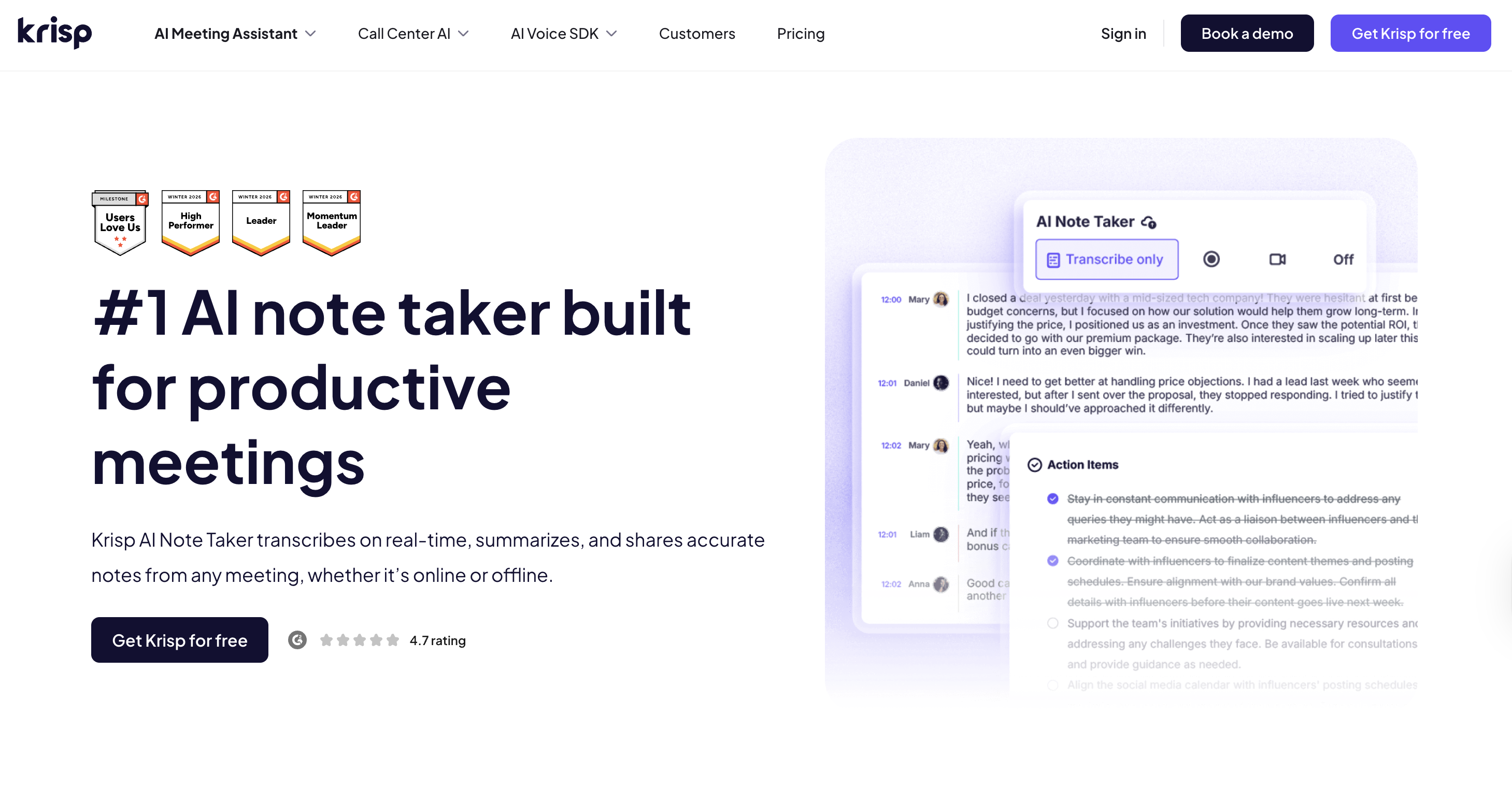
Krisp is built for this kind of workflow. It captures the conversation throughmeeting transcription, turns the discussion into structured notes, and pulls out action items automatically. Instead of reviewing a long transcript after the call, you get a clearer record of what was discussed, what was decided, and what needs to happen next.
Krisp is also bot-free. It runs on your device without adding a visible bot to the meeting. That keeps the call cleaner for participants and avoids the distraction of another attendee appearing in Zoom, Microsoft Teams, Google Meet, or other meeting platforms.
It also improves the meeting itself, not just the notes afterward.Noise cancellation removes background distractions like dogs, coffee shops, keyboard noise, and open-office chatter.Accent conversion helps global teams understand each other more clearly.
That matters because better audio leads to better notes. When speech is clearer, the AI has a stronger signal to work with. That means fewer missed details, cleaner transcription, and more accurate action items.
Still, AI-generated notes should not be treated as final without review. A quick human check is useful for catching context, nuance, or decisions that were implied rather than stated directly.
The value is practical: Krisp helps you stay present during the meeting while still producing the notes, summaries, and action items you would otherwise spend 15 minutes cleaning up afterward.
After the Meeting — The Follow-Through System
Meeting notes become useful after the meeting only when action items are confirmed, shared quickly, checked within 48 hours, and reviewed again in the next meeting.
Meeting notes only matter if they change what happens after the meeting.
This is where most teams lose the value of the conversation. The notes are written, shared once, and then treated like an archive. But if nobody checks the action items again, the document becomes a record of good intentions, not a system for execution.
That is why follow-through needs its own process. The real problem is keeping those tasks visible long enough for people to act on them.
Use this simple cadence after every important meeting:
When
Action
Within 1 hour
Clean up the notes, confirm action items with owners, and share the final version.
At 48 hours
Ping owners: Are you blocked? Do you need anything? Is the deadline still realistic?
When the next meeting opens
Spend 2 minutes reviewing the previous meeting’s action items before starting new topics.
The first hour matters because context fades quickly. If something is unclear, fix it while people still remember the conversation. Clean up rough notes, remove unnecessary discussion, and make sure every action item has three details:
what needs to happen
who owns it
when it is due
Then share the final version in the same place every time, whether that is Slack, Teams, email, Notion, Google Docs, or your project management tool.
The 48-hour check-in is where accountability starts. This does not need to feel formal or aggressive. A simple message is enough: “Are you blocked on this?” or “Do you need anything to move this forward?” The goal is to catch problems early, before the action item quietly disappears.
The next meeting should always begin with a short review of the previous action items. Two minutes is usually enough. Ask what was completed, what is blocked, and what needs to be reassigned. This creates a feedback loop: people know that if they accept an action item, it will come back into view.
This system works whether you take notes manually or use an AI meeting assistant to generate the first draft. AI can help capture the transcript, notes, and action items faster, but the follow-through still needs a human system.
The point is simple: meeting notes should not be a static document. They should be a living record of decisions, ownership, and progress.
When Action Items Stall
When action items stall, the problem is usually unclear ownership, an unrealistic deadline, too many tasks, or a deliverable that was never defined precisely.
Even strong meeting notes will not fix unclear or overloaded action items. When tasks keep stalling, do not just resend the notes. Diagnose why the work is not moving.
Start by clarifying the task. “Look into the onboarding issue” is not an action item because it does not define a deliverable. Rewrite it as something concrete
Next, escalate repeated misses. If the same person keeps missing action items, the issue may not be the notes. It may be workload, unclear priorities, lack of authority, or dependency on another team. In that case, raise it in a 1:1 or manager check-in instead of letting the same task roll over every week.
Finally, reduce the number of action items. A meeting that creates 12 next steps usually creates no real priority. Cap most meetings at 3–5 action items. That forces the group to decide what actually matters and what can wait.
Use this simple filter before closing the meeting:
Is this action specific?
Does one person own it?
Is there a deadline?
Is it realistic before the next check-in?
If the answer is no, fix the action item before the meeting ends. Stalled work usually starts as vague work.
Meeting Notes Format — What Works for Your Team
The best meeting notes format depends on the meeting type, but every useful format should make decisions, owners, deadlines, and unresolved questions easy to find.
The best meeting notes format depends on the type of meeting, the speed of the discussion, and how much follow-through the team needs afterward. But the format itself is not the main point. The real goal is always the same: capture decisions, owners, deadlines, and unresolved questions clearly enough that people know what to do next.
For most teams, three meeting notes formats work best:
Format
Best for
Breaks when
Structured template
Recurring team meetings, project updates, decision-heavy calls
A structured template is usually the safest choice for recurring meetings. It gives every meeting the same basic shape: context, decisions, action items, and parking lot. This makes notes easier to scan later because people know exactly where to look for outcomes. It works especially well for project meetings, weekly team syncs, and decision-heavy calls.
The Cornell Method can work better for brainstorming or learning-focused meetings. It separates main notes, key questions, and summaries, which helps when the meeting is more about understanding ideas than assigning immediate tasks. But it can feel too rigid when decisions are happening quickly and you need to capture owners and deadlines in real time.
An AI note taker is strongest when meeting volume is high. Instead of relying on one person to listen, participate, and document everything manually, AI can handle the full workflow: transcription, structured notes, and action item extraction. This is especially useful for remote teams and back-to-back calls. The risk is assuming the output is perfect. AI-generated notes still need a quick human review to confirm context, decisions, and ownership.
It also helps to understand the difference between meeting minutes vs notes. Minutes are often more formal and record-based. Meeting notes are usually more practical and action-focused.
The format matters, but not as much as the habit behind it. If your notes clearly show what was decided and who owns the next step, the format is working.
Common Meeting Notes Mistakes
The most common meeting notes mistakes are writing too much, missing owners or deadlines, sharing notes too late, and failing to review action items later.
Most bad meeting notes fail in predictable ways. The problem is rarely effort. It is usually that the notes are too broad, too late, or too disconnected from follow-through. These meeting notes best practices help prevent the most common failures before they turn into missed tasks, repeated conversations, or unclear ownership.
Mistake
How to Fix?
Writing too much
Only write what answers: “What was decided?” and “Who is doing what?”
No owner on action items
“We should” is not an action item. Every task needs a name and date.
Sharing too late
Share notes within 1 hour, even if they are rough. After 24 hours, context fades.
Never looking back
Open every meeting with a 2-minute review of the last meeting’s action items.
Taking notes and participating at the same time
Rotate the note-taker, or use an AI note taker that handles transcription, notes, and action items for you.
Key Takeaways:
The most common mistake is writing too much. Long notes may look thorough, but they are often harder to use. If every comment, tangent, and repeated point is included, the decisions become harder to find. Strong notes are selective. They prioritize outcomes over conversation history.
Another major mistake is leaving action items ownerless. “We should update the client deck” sounds like progress, but nobody owns it. A better version is: “Nina will update the client deck with the new pricing slide by Wednesday.” That gives the task a person, deliverable, and deadline.
Timing also matters. Notes shared a day later are already weaker because people forget context. Share them within 1 hour, even if they need light cleanup.
Finally, do not let notes become a dead document. Start the next meeting by reviewing the previous action items. That one habit turns meeting notes from a record into an accountability system.
Strong meeting notes turn conversations into outcomes by clarifying what was decided, who owns the next step, and when follow-up should happen.
Better meeting notes are not about writing more. They are about making work easier to execute after the meeting ends. Learning how to take meeting notes effectively is less about the template and more about the system: what you prepare before the meeting, what you capture during the conversation, and how you follow up afterward.
The system is simple: prepare before the meeting, capture decisions during the conversation, and follow up afterward. Before the meeting, identify the decisions that need to be made and set up a clear template. During the meeting, focus on decisions, action items, owners, deadlines, and unresolved questions. After the meeting, share the notes quickly and keep action items visible until they are completed.
This matters because meeting overload is already a real productivity problem. When meetings pile up, unclear notes create even more work: repeated conversations, missed tasks, and decisions that have to be reopened later.
Changing meeting habits usually takes a few weeks, not one perfect template. But once your team starts treating notes as a follow-through system, meetings become easier to act on. These meeting notes best practices help turn notes from a passive record into a practical accountability system.
Krisp handles transcription, notes, and action items without adding a bot to your call, so you can be fully present in the conversation.
FAQ
The best way to write meeting notes is to focus on outcomes, not conversation history. Capture what was decided, who owns each next step, when it is due, and what questions remain unresolved.
Meeting notes are usually informal, practical, and action-focused. They help teams remember decisions, owners, deadlines, and next steps. Meeting minutes are more formal. They are often used for board meetings, legal records, governance discussions, or official organizational documentation. Minutes usually include attendees, motions, approvals, and formal decisions. For everyday team meetings, meeting notes are usually more useful because they focus on what needs to happen next.
Meeting notes should be as short as possible while still making the next steps clear. For most internal meetings, one page is enough.
Yes, AI can take meeting notes by transcribing the conversation, summarizing key points, and extracting action items. The best AI meeting tools do more than produce a raw transcript. They organize the meeting into decisions, topics, and next steps. Still, AI-generated notes should be reviewed before sharing. A quick human check helps catch nuance, unclear ownership, or decisions that were implied but not stated directly.
The 7-minute rule means waiting about seven minutes before starting a meeting when key participants are late. The idea is to give people a short buffer without letting lateness consume the full meeting. In practice, use it carefully. If the missing person is essential for the decision, wait briefly or reschedule. If they are not essential, start on time and document the decision clearly in the meeting notes.