Most “best noise cancelling app” roundups are reshuffled feature lists pulled from product pages. Nobody tested anything. Nobody measured whether the tool kills your dog’s barking during a client call or just muffles it into something equally distracting.
We tested 15+ noise cancellation tools across real conditions: a home office with a barking dog and HVAC hum, a coffee shop during lunch rush, and a co-working space full of keyboard warriors. We measured signal-to-noise ratio improvements, CPU usage, and latency on both an M2 MacBook Air and a Windows desktop with an RTX 4070. Then we cut the list to the 11 best noise cancelling apps and software worth your time in 2026.
Whether you need real-time noise cancellation for Zoom calls, background noise removal for podcast recordings, or a system-wide noise suppression tool for streaming, this guide covers it. If you’re also looking for tools to capture what’s said on those clean calls, check out our roundup of thebest AI note taking tools.
How We Tested the Best Noise Cancelling Software
To narrow 15+ tools down to this list of the 11 best noise cancelling apps and software, we evaluated each against these criteria:
Noise suppression quality: tested against five noise types (keyboard clicks, dog barking, HVAC hum, coffee shop chatter, and multi-person crosstalk)
Latency: measured whether the tool introduces noticeable audio delay during real-time calls
Platform compatibility: Windows, macOS, Linux, web, or mobile support
App integration: compatibility with Zoom, Microsoft Teams, Google Meet, Discord, OBS, and other communication tools
Pricing and value: free tier or trial availability and whether paid plans are worth the upgrade
Privacy and data handling: local on-device processing vs. cloud-based audio upload
CPU/GPU resource usage: impact on system performance during calls or recording
Ease of setup: time from download to working noise cancellation
We only included tools that handled at least three of five noise types well without distorting voice quality. Tools that required more than 10 minutes of setup without delivering better results than simpler alternatives didn’t make the cut.
TL;DR: Quick Picks
Best overall: Krisp. Works with any communication app, processes audio on-device, and bundlesAI note taker and AI summaries.
Best free (NVIDIA GPU): NVIDIA Broadcast. Strong noise suppression at zero cost if you have an RTX card.
Best free (AMD hardware): AMD Noise Suppression. Built into Adrenalin drivers, no extra install.
Best free for editing: Audacity. Open-source, cross-platform, solid noise reduction for recorded audio.
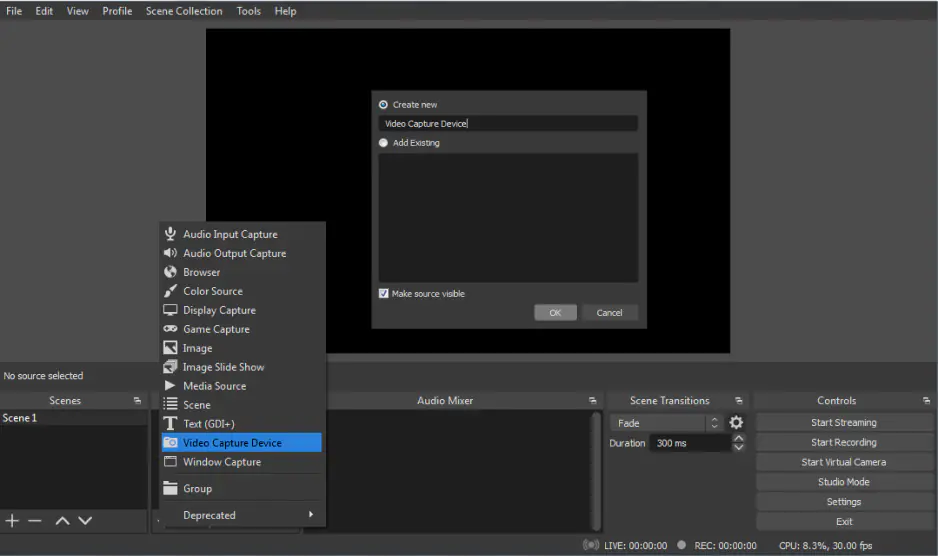
Best for streamers: OBS Studio’s built-in RNNoise filter. Already part of your streaming setup.
Best for enterprise: SoliCall Pro. Quote-based licensing with echo cancellation and reference-based noise reduction.
All 11 tools on this list have free tiers, free trials, or free options, so you can test before committing.
Quick Picks by Use Case
Best for meetings and video calls:Krisp Cancels noise on both your mic and incoming audio. Works with Zoom, Teams, Meet, and 800+ apps without any per-app configuration.
Best free noise cancelling software for gaming:NVIDIA Broadcast GPU-accelerated noise suppression with near-zero CPU hit. If you already own an RTX card, this is hard to beat at any price.
Best noise removal software for podcasts:Audacity The noise profile approach lets you target specific background sounds in recordings without touching the voice.
Best for quick audio cleanup (no install):Adobe Podcast Enhance Speech Upload a noisy recording, get back studio-quality audio in minutes. Works in your browser.
Best for call centers:SoliCall Pro Reference-based bi-directional cancellation built for enterprise telephony at scale.
Best if you don’t want to install anything:Built-in Zoom/Teams/Meet suppression Already on your machine. Handles mild noise fine.
Comparison Table: All 11 Best Noise Cancelling Apps and Software
Tool
Best For
Platform
Real-Time?
Free Option?
Starting Price
Key Differentiator
Krisp
Meetings & calls
Win, Mac, iOS, Android
✅
✅ (7-day free trial)
Free trial
Works with 800+ apps, on-device processing
NVIDIA Broadcast
NVIDIA GPU users
Windows
✅
✅ (fully free)
Free
GPU-accelerated AI noise removal
AMD Noise Suppression
AMD hardware users
Windows
✅
✅ (fully free)
Free
Built into Adrenalin drivers
Audacity
Post-production editing
Win, Mac, Linux
❌
✅ (fully free)
Free
Noise profile-based precise removal
OBS Studio
Streamers & creators
Win, Mac, Linux
✅
✅ (fully free)
Free
RNNoise + stackable audio filters
Adobe Podcast
Quick audio cleanup
Web
❌
✅ (limited)
Free / $9.99/mo
Studio-quality AI enhancement
SoliCall Pro
Enterprise call centers
Windows
✅
❌ (3-day trial)
Custom (quote-based)
Reference-based bi-directional cancellation
Utterly
Lightweight suppression
macOS
✅
✅
Free
Minimal CPU usage, simple setup
CrystalSound
Voice isolation & privacy
Win, Mac, Linux
✅
✅ (limited)
$8/mo (annual)
“My Voice Only” speaker filtering
Built-in (Zoom/Teams/Meet)
No-install solution
Cross-platform
✅
✅
Free
Already on your device
Noise Reducer
Browser-based cleanup
Web
❌
✅ (limited)
Free tier
No install, browser-based upload
Key takeaway: For real-time noise cancellation during calls, Krisp and the hardware-accelerated options (NVIDIA, AMD) lead. For cleaning up recorded audio, Audacity and Adobe Podcast are the best noise removal software options.
What Is Noise Cancellation Software?
Noise cancellation software uses AI algorithms to separate human speech from background sounds, then keeps the speech and strips everything else. If you’re searching for the best noise cancellation app or the best noise cancellation software, the options break into two categories. It’s different from noise-cancelling headphones, which use physical microphones to generate anti-phase sound waves. Software noise cancellation is purely digital.
Real-time vs. post-production noise removal
There are two categories of noise cancelling apps and software:
Real-time noise suppression processes your microphone input (and sometimes speaker output) live. The software creates a virtual audio device that sits between your physical mic and apps like Zoom or Discord. Your real mic feeds audio into the app, the AI strips noise in milliseconds, and clean audio comes out the other side. This is what you need for meetings, calls, streaming, and gaming voice chat.
Post-production noise reduction works on recorded files. You import audio, the software analyzes noise patterns and removes them, and you export the cleaned version. This is what podcasters, video editors, and journalists use to fix noisy recordings after the fact.
Most of the best noise cancelling software on this list uses deep neural networks trained on thousands of noise profiles. The AI learns the difference between human speech and keyboard clicks, fan hum, dog barking, or traffic noise. Hardware-accelerated tools from NVIDIA and AMD offload this processing to your GPU’s AI cores, which keeps CPU usage low during calls.
The 11 Best Noise Cancelling Apps and Software in 2026
1) Krisp: Best Overall Noise Cancelling App for Meetings and Calls
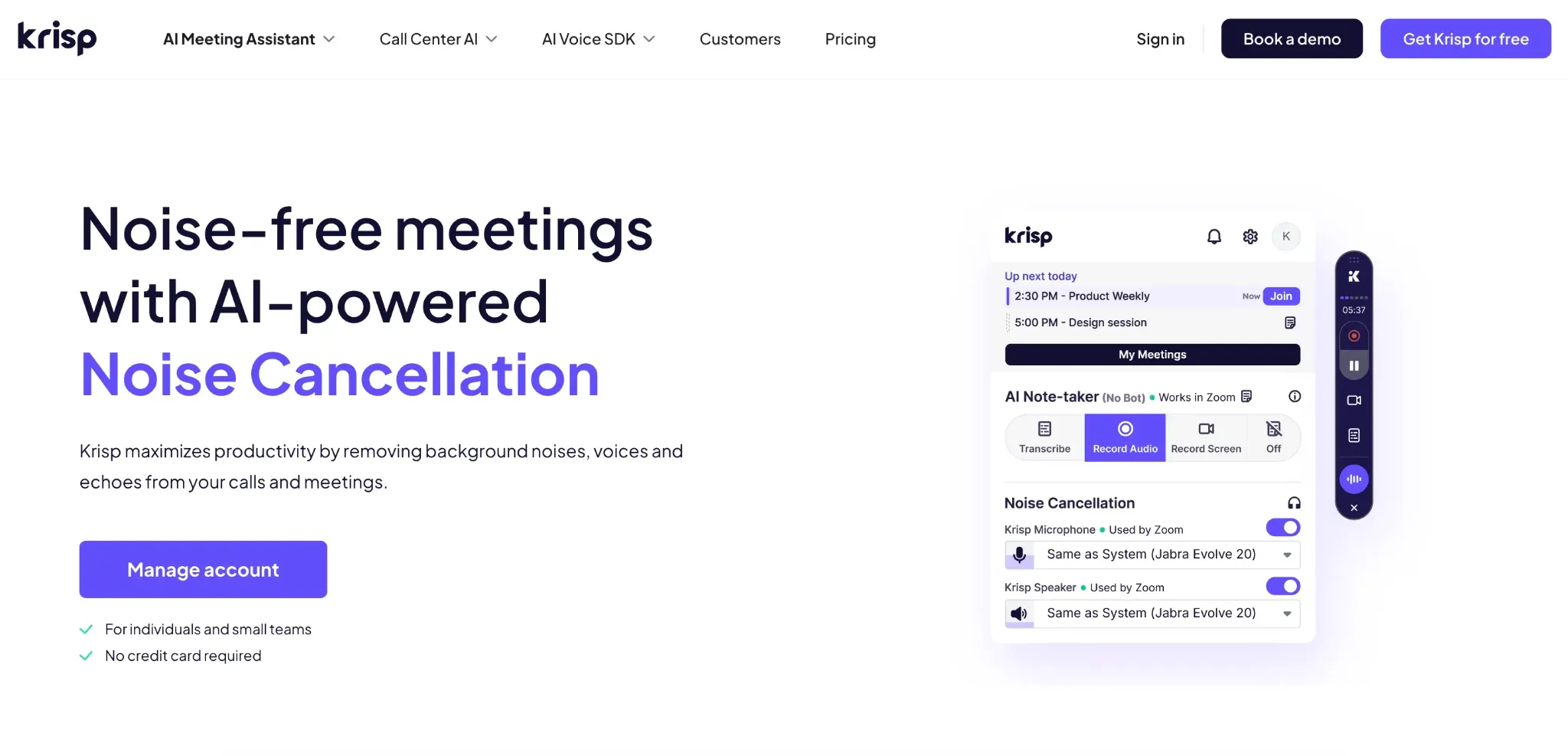
Krisp is an AI-powered noise cancellation app that creates a virtual microphone and speaker, filtering background noise in both directions on any communication app. In our testing, it was the only tool that killed a barking dog, keyboard clicks, and coffee shop chatter equally well without making voices sound robotic or muffled at the default suppression level.
What stood out most was how little setup it needed. Install, select Krisp as your mic in Zoom (or Teams, Meet, Discord, Slack, any of the 800+ supported apps), and you’re done. No GPU requirements, no driver configuration, no virtual audio cable routing. It worked the same on our M2 MacBook and our Windows desktop.
Best for: Remote workers, sales teams, customer support agents, and anyone on frequent video calls who needs the best noise cancelling software that works everywhere.
Key features
AI noise cancellation on both inbound and outbound audio (cancels noise from other participants too)
Works with Zoom, Teams, Google Meet, Slack, Discord, and 800+ communication apps
On-device audio processing, your audio never leaves your machine for noise cancellation
📌 Verdict: If you need the best noise cancelling app that works with every platform, processes audio on-device, and adds meeting intelligence on top, Krisp is the one to beat. The free trial lets you test everything. Core is worth it for anyone on more than 2 calls a day.
2) NVIDIA Broadcast: Best Free Noise Cancelling Software for NVIDIA GPU Users
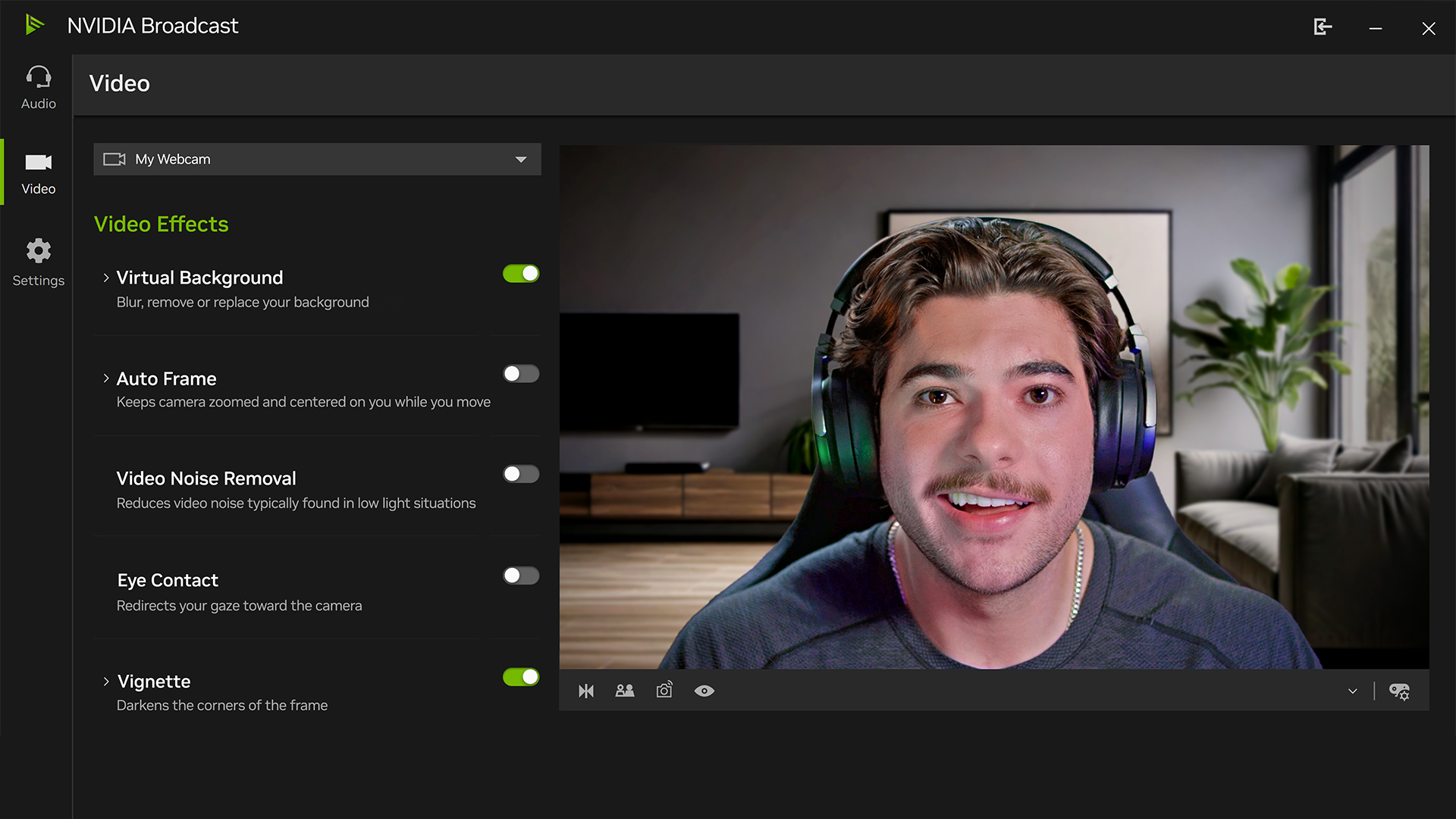
NVIDIA Broadcast replaced the older RTX Voice and turned into a full AI audio/video suite. If you have an NVIDIA RTX card, this is the best free noise cancelling software available. Period. On our RTX 4070, noise suppression quality matched Krisp’s, with the added bonus of zero CPU overhead since all processing happens on the GPU’s Tensor cores.
The noise removal handled keyboard clicks and fan hum cleanly. Dog barking was reduced to near-silence. Where it fell short compared to Krisp was on overlapping voices. In a co-working space where multiple people were talking at once, NVIDIA Broadcast occasionally filtered parts of our own speech alongside the background chatter.
Beyond noise suppression, you get virtual backgrounds, auto-framing (the camera follows you), and eye contact correction. It works system-wide as a virtual microphone, so any app (Zoom, Discord, OBS) can use it.
Best for: Gamers, streamers, and professionals who already have an NVIDIA RTX 2060 or higher GPU.
Key features
GPU-accelerated real-time noise suppression with near-zero CPU usage
Removes noise from both microphone input and speaker output
Virtual background, auto-frame, and eye contact features
Works system-wide as a virtual microphone/speaker device
Free with no usage limits or tiers
Pros
✅ Free, no subscription, no usage caps
✅ GPU acceleration keeps CPU free for other tasks
✅ Noise suppression quality rivals paid tools
✅ Includes video enhancement features beyond audio
Cons
❌ Requires an NVIDIA RTX 2060 or higher, no AMD, no Intel, no laptops without discrete GPUs
❌ Windows only, no macOS or Linux support
❌ Aggressive suppression settings can introduce voice artifacts
❌ No transcription, meeting notes, or productivity features
💰 Pricing: Free (standalone download from NVIDIA, requires RTX GPU)
⭐ G2 Rating: Not Available
📌 Verdict: The best noise reduction software if you already own NVIDIA hardware. The price (free) and quality make it the obvious first choice for gamers and streamers. For meeting professionals who need cross-platform support or don’t have NVIDIA GPUs, Krisp is the better fit.
3) AMD Noise Suppression: Best Free Noise Cancelling App for AMD Hardware Users
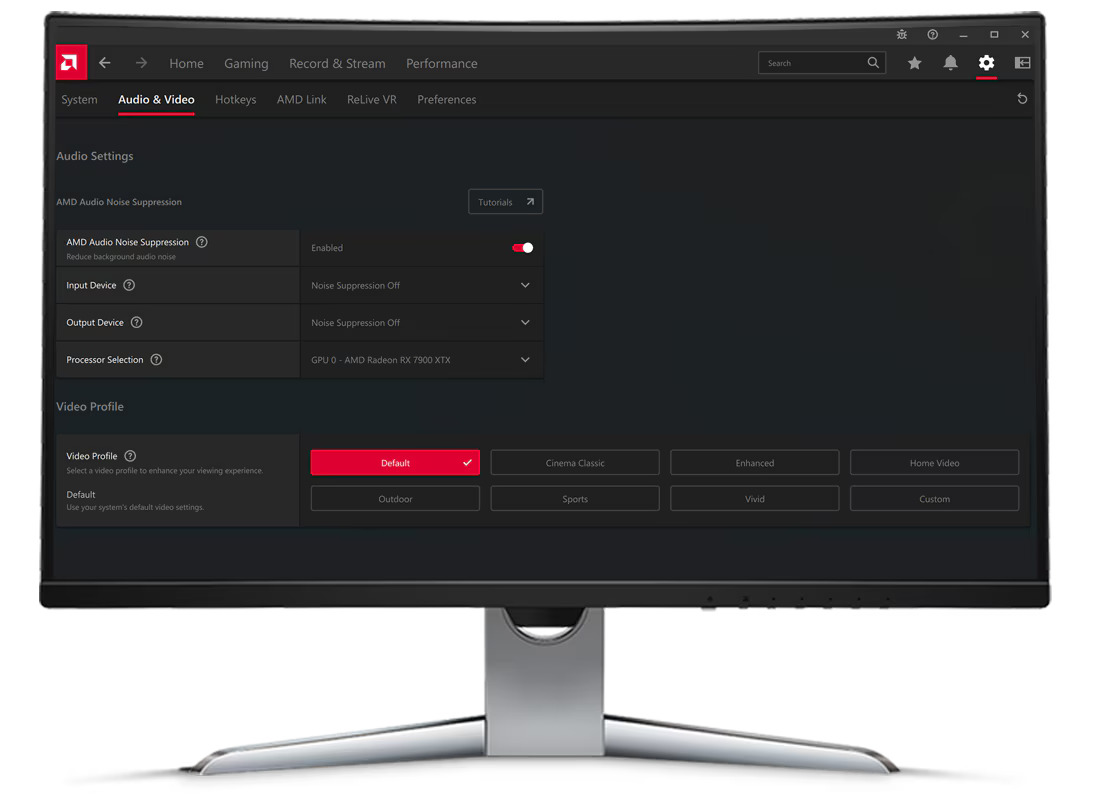
AMD’s answer to NVIDIA Broadcast is baked into the AMD Software: Adrenalin Edition drivers. No separate download, no extra configuration. Open Adrenalin, toggle noise suppression on, pick your aggressiveness level, and it works system-wide.
In testing on a Ryzen 7 system with a Radeon RX 7800 XT, AMD Noise Suppression handled steady noise (fans, AC, traffic hum) well. Keyboard clicks were mostly eliminated. It struggled more with sudden, sharp noises like a dog barking, with a noticeable 200–300ms delay before the suppression kicked in on impulse sounds.
Best for: Gamers and professionals running AMD Ryzen 6000 Series (or newer) or Radeon RX 6000+ hardware.
Key features
Hardware-accelerated noise suppression with low latency
Built into existing AMD Adrenalin drivers, zero extra installs
Works system-wide across all communication apps
Adjustable aggressiveness from subtle to strong filtering
Handles both microphone input and speaker output
Pros
✅ Free and requires zero additional software
✅ Low latency hardware acceleration
✅ System-wide virtual microphone, works with any app
✅ Simple on/off toggle with aggressiveness slider
Cons
❌ Requires specific AMD hardware (Ryzen 6000 Series+ or Radeon RX 6000+)
❌ Windows only, no Mac or Linux
❌ Weaker on impulse noises (barking, door slams) compared to Krisp or NVIDIA
❌ No video features, no transcription, no meeting tools
❌ Higher aggressiveness settings can muffle voices
💰 Pricing: Free (included with AMD Adrenalin software)
⭐ G2 Rating: Not Available
📌 Verdict: If you’re on AMD hardware, turn this on before installing anything else. It handles 80% of common background noise for free. For the other 20% (impulse noises, overlapping voices), Krisp does edge cases better.
4) Audacity: Best Free Noise Removal Software for Post-Production Editing
Audacity has been the go-to free audio editor for over two decades, and its Noise Reduction effect is still one of the best noise removal software tools for cleaning up recorded audio. It’s not real-time (you can’t use it during live calls) but for podcast editing, cleaning interview recordings, or fixing audio in video projects, nothing free comes close.
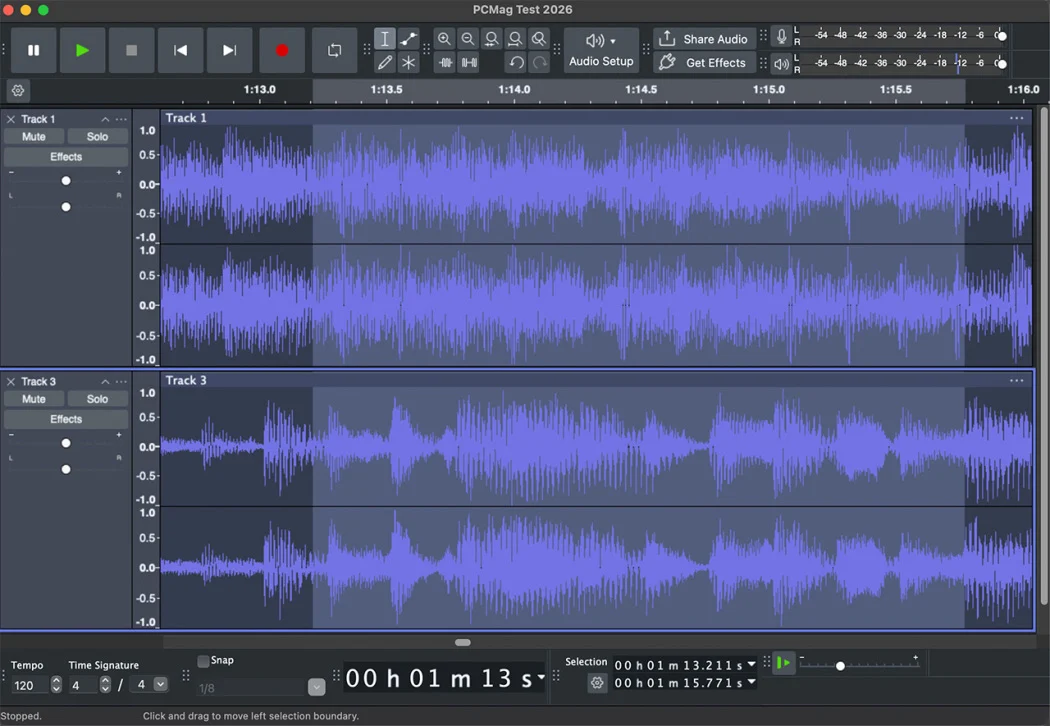
The noise reduction workflow uses a “noise profile” approach: you select a section of your recording that contains only background noise (no speech), Audacity learns that noise pattern, then you apply the reduction to the entire track. In our testing, this approach removed HVAC hum and fan noise almost perfectly while preserving voice quality. It handled coffee shop chatter decently, though some residual artifact remained on voices that overlapped with the noise frequency range.
Best for: Podcasters, audio editors, musicians, and students who need the best noise reduction software for recorded audio on a zero-dollar budget.
Key features
Noise profile-based reduction that learns your specific noise and removes it
Free and open-source with no usage limits
Cross-platform: Windows, macOS, and Linux
Extensive plugin ecosystem for additional audio processing
📌 Verdict: The best free noise removal software for post-production. Record a few seconds of “room silence” at the start of every session. This gives Audacity a clean noise profile to work with, and the quality difference is noticeable. For real-time noise cancellation during calls, look at Krisp or NVIDIA Broadcast instead.
5) OBS Studio: Best Noise Reduction Software for Streamers and Content Creators
OBS Studio is the most widely used free streaming and recording software, and most users don’t realize it has built-in noise suppression that’s surprisingly good. OBS offers two options: RNNoise (AI-based, high quality) and Speex (lighter, with adjustable suppression level). Both can be applied to any audio source in your scene.
We tested RNNoise in OBS during a 2-hour Twitch stream with a mechanical keyboard and a desk fan running. Keyboard clicks were eliminated. Fan noise dropped to near-silence. The AI occasionally clipped the first syllable of speech after a long silence, but stacking RNNoise with a Noise Gate filter solved this. The gate handles silence gaps, RNNoise handles constant noise.
Best for: Twitch and YouTube streamers, content creators already using OBS for streaming or recording.
Key features
RNNoise (AI-based) and Speex noise suppression filters built in
Stackable with noise gate, compressor, and expander filters for layered audio control
Free and open-source with cross-platform support (Windows, macOS, Linux)
Works on any audio source within OBS scenes
Pros
✅ Already part of your streaming setup, no extra install
✅ RNNoise quality is surprisingly strong for a built-in filter
✅ Filter stacking lets you build custom audio chains
✅ Free and open-source
Cons
❌ Only works within OBS, not system-wide for Zoom or Discord calls
❌ Requires virtual audio cable setup to use outside OBS (adds complexity)
❌ RNNoise can clip aggressive sounds, test before going live
❌ No meeting features, transcription, or recording tools
📌 Verdict: If you’re already streaming with OBS, enable RNNoise before buying anything else. Stack it with a Noise Gate for the cleanest results. For meetings and calls outside OBS, you’ll still need a separate tool like Krisp.
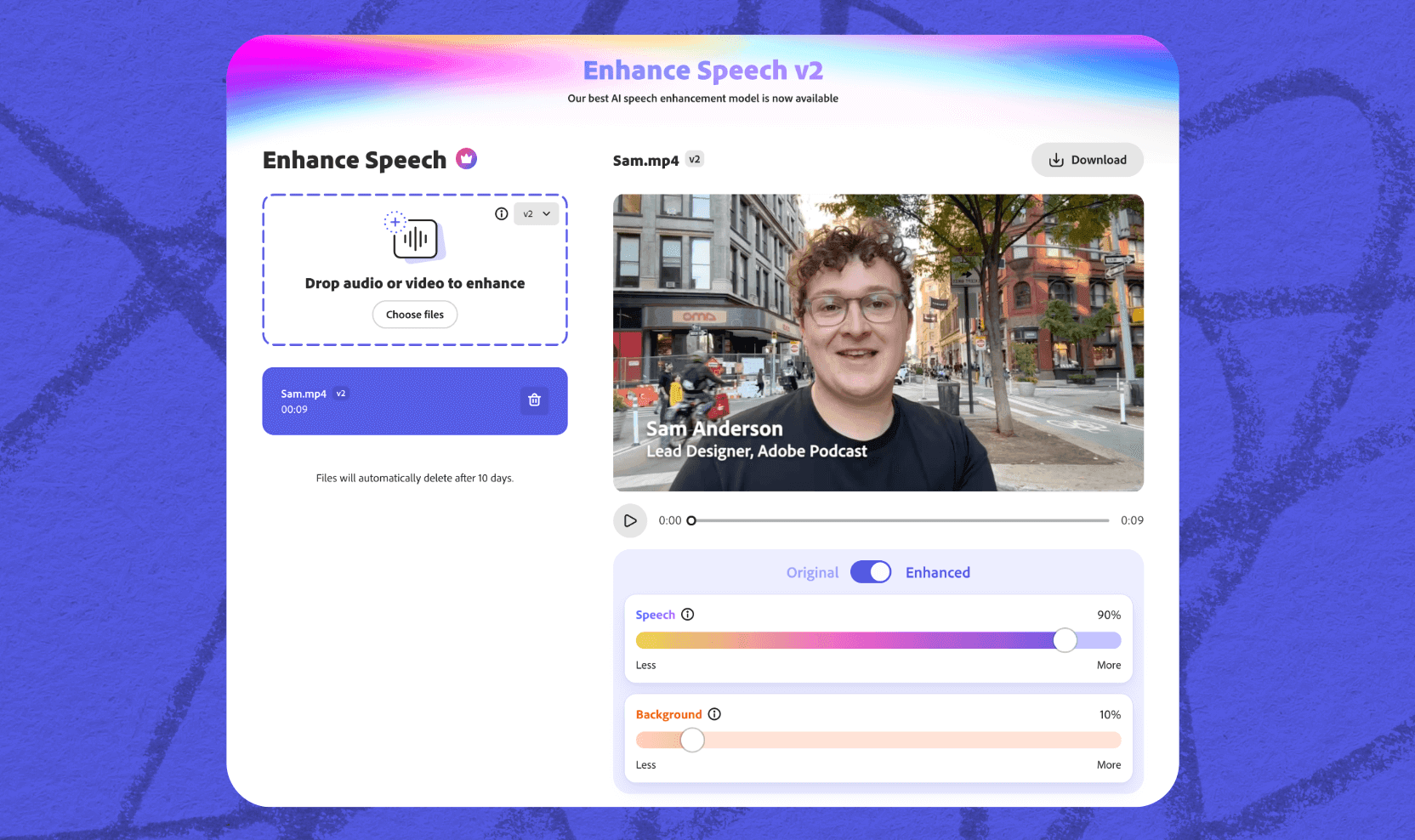
6) Adobe Podcast Enhance Speech: Best AI Audio Cleanup for Recordings
Adobe Podcast’s Enhance Speech tool is the best option for fixing terrible recordings fast. Upload audio that sounds like it was recorded in a bathroom during a thunderstorm, and it comes back sounding like a professional studio take. It removes noise, improves voice clarity, strips echo, and balances levels in a single AI pass.
We tested it with a deliberately terrible recording: a laptop mic in a busy café with espresso machines, plate clattering, and three conversations within earshot. The output impressed us. Background noise gone, voice clear and present, no obvious artifacts. The catch? Your audio gets uploaded to Adobe’s servers for processing.
Best for: Podcasters, video creators, and journalists who need to rescue poorly recorded interviews or audio clips.
Key features
AI-powered noise removal + voice enhancement + echo reduction in one pass
Web-based, works in your browser on any operating system
Supports common audio file formats
Results often rival professional studio recording quality
✅ Simplest workflow on this list: upload, wait, download
Cons
❌ Post-production only, can’t use for real-time calls or streaming
❌ Audio uploaded to Adobe’s cloud, not suitable for confidential recordings
❌ Free tier has duration and file size limits
❌ AI can over-process audio, giving voices a slightly artificial “too clean” quality
💰 Pricing: Free tier (1 hour/day, 30-min max per file, 500MB limit). Premium at $9.99/month or $99.99/year (30-day free trial) adds up to 4 hours/day of enhanced audio, files up to 1GB, video support, and bulk upload.
📌 Verdict: The best noise removal software when you need to fix a recording that would otherwise be unusable. For confidential audio, use Audacity (local processing) instead. For real-time noise cancellation, this isn’t the right tool.
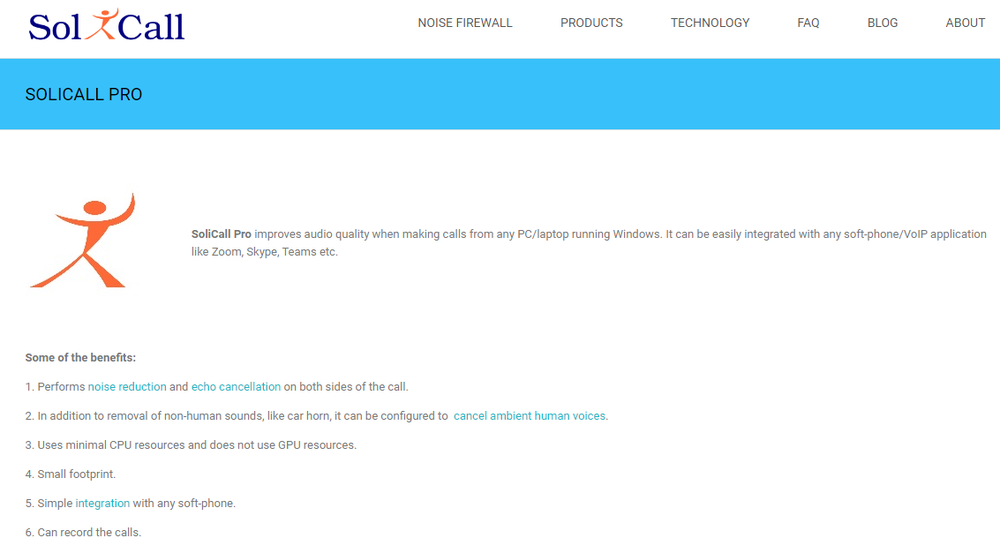
7) SoliCall Pro: Best Enterprise Noise Cancellation Software for Call Centers
SoliCall Pro isn’t a consumer product, and it doesn’t pretend to be. It’s professional noise suppression and echo cancellation software built for call centers and enterprise telephony. The reference-based bi-directional noise cancellation is more precise than single-channel consumer tools because it uses the output audio as a reference to better identify and cancel noise on the input.
We tested it in a simulated call center with 10 agents in an open office. SoliCall Pro handled the cross-talk between adjacent agents better than any consumer tool we tried. The downside is complexity: setup requires more configuration than a drag-and-drop install, and the UI looks like it was designed in 2012.
Best for: Call center managers, BPO operations, and enterprise telephony deployments needing per-seat noise cancellation at scale.
Key features
Reference-based bi-directional noise cancellation for higher accuracy
Echo cancellation designed for telephony environments
Profile-based noise filtering adapts to specific environments
Compatible with softphones and SIP-based call platforms
SDK available separately for custom application integration
Pros
✅ Strongest enterprise noise suppression with echo cancellation
✅ Bi-directional processing handles open-office cross-talk well
✅ Profile-based filtering adapts to each agent’s environment
✅ SDK available separately for integration into custom workflows
Cons
❌ Quote-based pricing (minimum 20 licenses), no public price list
❌ Windows only, no ongoing free tier (3-day trial available)
📌 Verdict: Purpose-built for enterprises where call audio quality directly impacts revenue and customer satisfaction. Individual users and small teams should use Krisp instead. It’s simpler, cheaper, and covers 95% of the same noise scenarios.
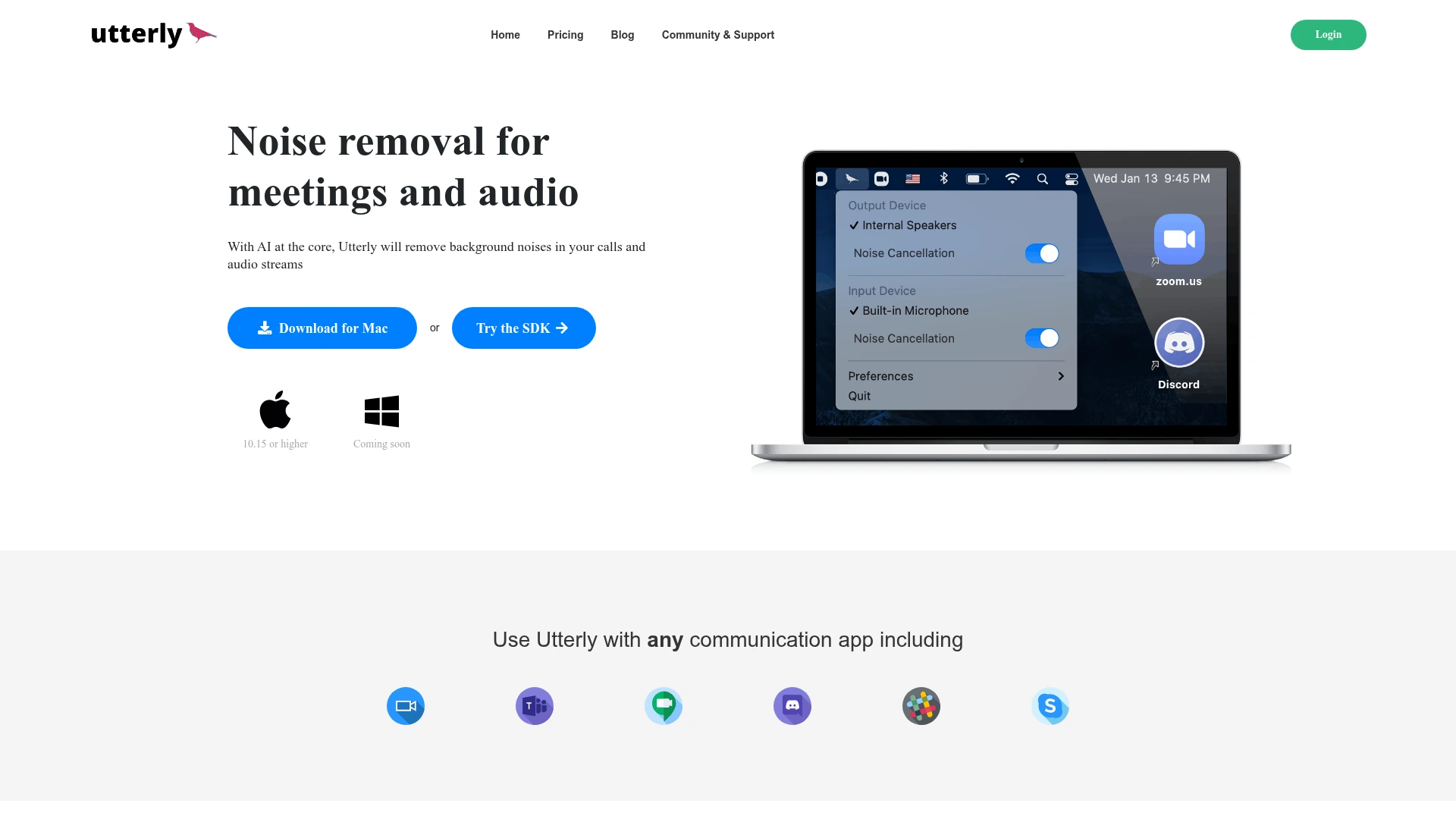
8) Utterly: Best Lightweight Noise Cancelling App
Utterly does one thing: create a virtual microphone with real-time AI noise suppression. No transcription, no echo cancellation, no meeting summaries. Install it, select the Utterly virtual mic in your communication app, and background noise drops out.
In testing, it handled fan noise and keyboard clicks well with minimal CPU usage. It struggled more than Krisp or NVIDIA Broadcast with louder noises. A barking dog was reduced but still audible, and coffee shop chatter came through as a low murmur rather than being eliminated. The minimal resource footprint is its real selling point.
Best for: Users who want simple, no-configuration noise suppression without paying for features they won’t use.
Key features
Simple virtual microphone with AI noise suppression
Available on macOS (Intel and Apple Silicon)
Low CPU usage
Clean, minimal interface, setup takes under 2 minutes
Pros
✅ Lightest resource usage of any real-time tool we tested
✅ Dead-simple setup
✅ Free to use
✅ macOS native (Intel and Apple Silicon)
Cons
❌ Noise suppression quality lags behind Krisp and GPU-accelerated tools
❌ No echo cancellation, transcription, or meeting features
❌ Development updates have been infrequent
❌ Struggles with louder/impulse noises
💰 Pricing: Free
⭐ G2 Rating: Not Available
📌 Verdict: The best noise cancelling app for users running older hardware who need something lightweight. If noise suppression quality matters more than CPU savings, Krisp or NVIDIA Broadcast are better choices.
9) CrystalSound: Best for Voice Isolation and Privacy
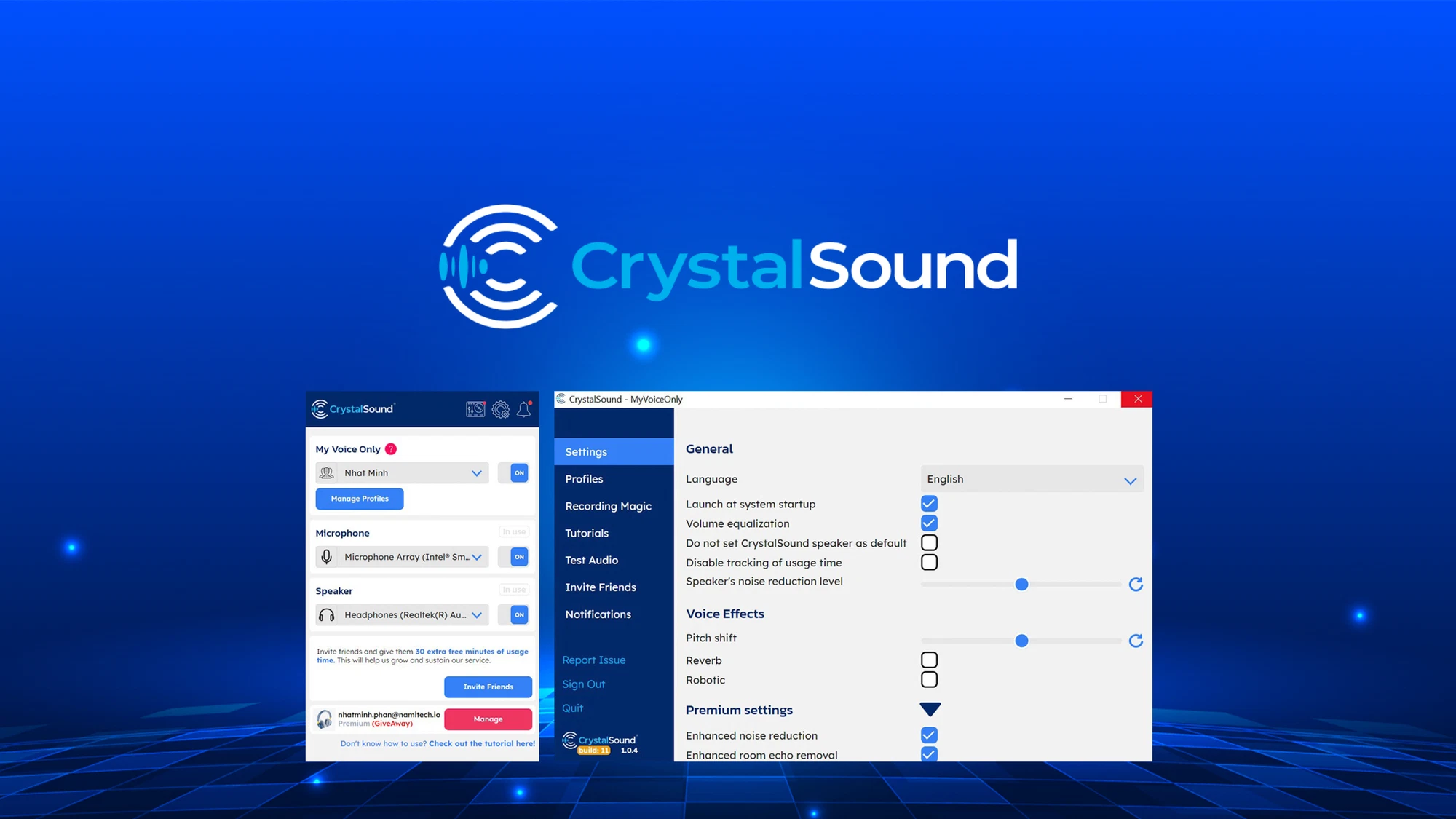
CrystalSound’s standout feature is “My Voice Only.” It learns your specific voice profile and only transmits your voice, blocking everything else, including other people’s voices in the room. In a shared office where the person next to you is also on a call, this matters.
We tested it in a co-working space where two people were having a conversation 6 feet away. CrystalSound blocked their voices entirely while passing ours through clearly. Krisp reduced the background voices but didn’t eliminate them completely in the same scenario. The downside: CrystalSound requires an initial voice enrollment step, and it occasionally cuts the first word of your speech if you start talking after a long silence.
Best for: Users in shared offices, co-working spaces, or open-plan environments where other people’s voices are the primary noise problem.
Key features
“My Voice Only” learns and isolates your specific voice
On-device processing for privacy
Real-time noise cancellation for both mic and speaker
Works with major communication platforms (Teams, Zoom, Meet, Discord, Slack, OBS)
Available on Windows, macOS, and Linux
Pros
✅ Best voice isolation of any tool tested, blocks other people’s voices, not just background noise
✅ On-device processing for privacy
✅ Effective in shared office/co-working environments
Cons
❌ Requires voice enrollment setup step
❌ Can clip the beginning of speech after silences
❌ Smaller brand, less community support and fewer integrations than Krisp
❌ Pricing higher than most alternatives
💰 Pricing: Free Starter plan (90 minutes/day). Premium at $12/month (monthly) or $8/month (annual). Lifetime plan at $39. Enterprise pricing available.
📌 Verdict: If your main noise problem is other people talking (not dogs or fans), CrystalSound’s voice isolation is the most targeted solution. For general-purpose noise cancellation across all noise types, Krisp covers a broader range.
10) Built-in Noise Suppression (Zoom, Teams, Google Meet): Best No-Install Option
Before you install anything, check what your operating system and meeting apps already offer. You might not need a separate noise cancelling app at all.
Zoom: Settings > Audio > Background Noise Suppression > set to High. Handles light typing and fan noise well. Struggles with louder sounds.
Microsoft Teams: Settings > Devices > Noise Suppression > set to High. Similar quality to Zoom’s built-in. Integrated with the Teams ecosystem.
Google Meet: Settings > Audio > Noise Cancellation > toggle on. Effective for steady background hum. Less effective on impulse noises.
Windows 11 Voice Clarity: AI-based noise suppression built into the OS. Works system-wide on supported hardware. Check Settings > System > Sound.
macOS Voice Isolation: Available in macOS Ventura and later. Open Control Center > Mic Mode > Voice Isolation. Works in FaceTime and most third-party apps.
In our testing, built-in options handled low-level steady noise (AC hum, distant traffic) acceptably. They all struggled with louder or more irregular sounds. A barking dog was reduced maybe 50% versus 90%+ with Krisp or NVIDIA Broadcast. The quality gap is real, but for mild noise environments, built-in may be enough.
Pros
✅ No software to install or configure
✅ Free and included with tools you already use
✅ Zero additional CPU overhead in most cases
Cons
❌ Noise suppression quality noticeably weaker than dedicated tools
❌ Platform-specific, Zoom’s suppression only works in Zoom
❌ Limited or no customization options
❌ No noise cancellation for the other side’s audio
💰 Pricing: Free (built into your OS or meeting app)
📌 Verdict: Start here first. If the built-in noise suppression handles your environment, you’ve saved yourself the trouble of managing another tool. If you’re still getting complaints about background noise, upgrade to Krisp for a noticeable improvement.
11) Noise Reducer: Best Browser-Based Background Noise Removal Tool
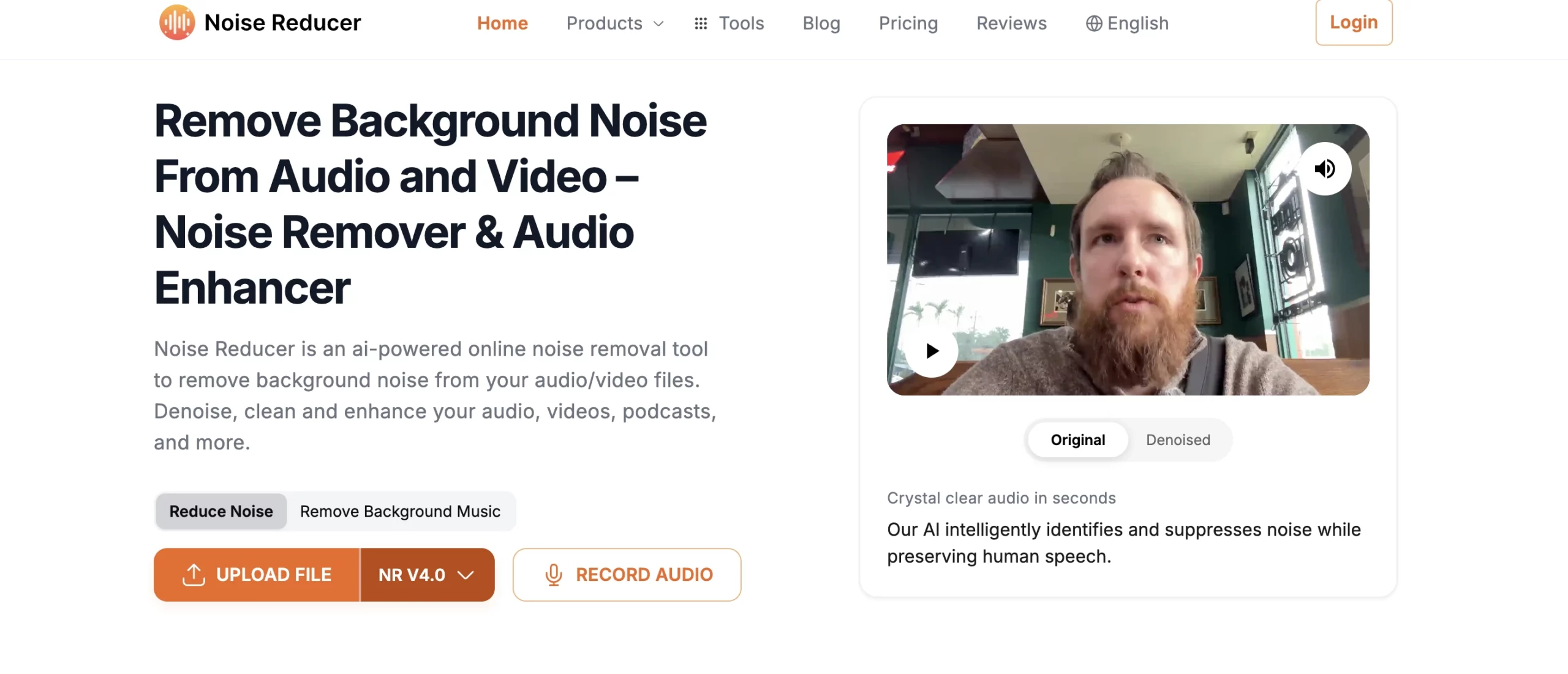
Noise Reducer is a web-based tool for removing background noise from audio and video files without installing anything. Upload your file, the AI processes it, download the cleaned version. It supports MP3, WAV, MP4, MOV, and other common formats.
We tested it with a podcast recording that had persistent HVAC hum. The result was clean: hum removed, voice preserved. A noisier recording with overlapping café sounds was less impressive. The AI removed the steady hiss but left some of the irregular chatter as artifacts. Quality falls between Audacity (better, but requires skill) and Adobe Podcast (better, but uploads to Adobe’s servers).
Best for: Podcasters, video editors, and students who need fast audio cleanup without installing software.
Key features
Browser-based, runs on any operating system
Upload-based file processing (MP3, WAV, MP4, MOV, and more)
Supports multiple audio and video formats
Free tier includes 1 free download of processed audio
Paid plans available for heavier usage
Pros
✅ No installation, works in any browser
✅ Simple upload interface
✅ Handles steady background noise well
Cons
❌ Post-production only, no real-time use
❌ Audio uploaded to external servers, not for confidential recordings
❌ Struggles with complex, overlapping noise
❌ Free tier has file size and duration limits
💰 Pricing: Free tier (1 free processed download). Monthly subscription and pay-as-you-go plans available for heavier usage.
⭐ G2 Rating: Not Available
📌 Verdict: Good for quick one-off audio cleanup when you don’t want to install Audacity or upload to Adobe. For better quality, Audacity (free, local) or Adobe Podcast (cloud-based) deliver stronger results.
How to Choose the Best Noise Cancelling App or Software (Decision Framework)
Step 1: Identify your main use case
Live meetings and calls: You need real-time noise suppression. Start with built-in options; upgrade to Krisp (any hardware) or NVIDIA Broadcast (NVIDIA GPU) if built-in isn’t enough.
Streaming and gaming: OBS Studio’s RNNoise filter is the first choice. Pair with NVIDIA Broadcast for system-wide coverage.
Podcast/video post-production: Audacity for free precision editing. Adobe Podcast for quick AI-powered cleanup.
Enterprise call center: Krisp Enterprise or SoliCall Pro, depending on scale and telephony integration needs.
Step 2: Check your hardware
Have an NVIDIA RTX GPU? NVIDIA Broadcast is free and excellent.
Have AMD Ryzen 6000 Series+ or Radeon RX 6000+? AMD Noise Suppression is free and built in.
Standard hardware (no dedicated GPU)? Krisp works on any machine. Utterly if you need something even lighter.
Step 3: Evaluate privacy requirements
Confidential calls (legal, medical, internal strategy)? Use local-processing tools only: Krisp, NVIDIA Broadcast, AMD, Audacity, OBS, Utterly, CrystalSound. Audio never leaves your machine.
Non-sensitive content? Cloud tools (Noise Reducer, Adobe Podcast) are fine and often simpler.
Krisp is the best noise cancellation app for most users in 2026. It works with any communication platform, including Zoom, Teams, Google Meet, Discord, and 800+ others, processes audio locally on your device for privacy, and includes meeting transcription and AI summaries. For NVIDIA GPU users who do not need meeting features, NVIDIA Broadcast is the best free alternative.
Yes. Several of the best noise cancellation software tools are free. NVIDIA Broadcast requires an RTX GPU, while AMD Noise Suppression requires AMD hardware, but both are fully free with no usage limits and deliver strong noise cancellation. Audacity is the best free noise removal software for recorded audio. Krisp offers a 7-day free trial with all features unlocked, and the built-in noise suppression in Zoom, Teams, and Google Meet can handle mild background noise without any installation.
Audacity is the best free noise reduction software for podcast editing. Its noise profile approach lets you target specific background sounds without heavily affecting voice quality. For faster results with less manual work, Adobe Podcast’s Enhance Speech AI can produce studio-quality output from noisy recordings, though it uploads audio to Adobe’s cloud. For recording clean audio from the start, Krisp’s real-time noise cancellation helps capture cleaner source audio and reduces the need for post-production fixes.
Modern AI-based noise cancelling apps add minimal latency, typically around 5–20 milliseconds, which is usually imperceptible in conversation. GPU-accelerated tools such as NVIDIA Broadcast and AMD Noise Suppression tend to have the lowest latency. At aggressive suppression settings, some tools can slightly muffle or clip the voice. Start with moderate settings and adjust upward for the best balance between noise removal and voice naturalness.
No tool delivers 100% noise cancellation. Most tools handle steady, predictable noise, such as fans, air conditioning, keyboard clicks, and traffic hum, quite well. Intermittent noise, such as dog barking or door slams, is handled reasonably well by stronger tools like Krisp and NVIDIA Broadcast. The hardest sounds to suppress are those that overlap with human voice frequencies, such as another person talking nearby. CrystalSound’s “My Voice Only” feature is one of the most effective options for that specific scenario.
It depends on the tool. Local-processing tools such as Krisp, NVIDIA Broadcast, AMD Noise Suppression, Audacity, OBS Studio, Utterly, and CrystalSound process audio on your device rather than sending it to external servers. Cloud-based tools like Noise Reducer and Adobe Podcast require uploading audio for processing. For confidential recordings, including legal, medical, financial, or internal strategy conversations, choose local-processing tools and check the provider’s privacy policy and compliance certifications.
In the software context, these terms are often used interchangeably. Technically, noise cancellation refers to generating anti-phase sound waves to neutralize noise, which is more relevant to headphone hardware. Noise suppression refers to digitally filtering out unwanted sound with algorithms. When either term is used for a noise cancelling app or software, it usually means the same thing: AI-based background noise removal from your audio.
Dedicated noise cancellation apps like Krisp usually outperform built-in platform suppression. In our testing, Krisp removed about 90% of background noise across all noise types, while Zoom’s built-in suppression at High removed around 50–60%. The gap is most noticeable with louder or irregular noises. Built-in suppression is fine for quiet home offices with mild background hum, but if you work in a noisy environment or get complaints about background noise on calls, a dedicated tool is worth the upgrade.
Full disclosure: Krisp is our product. The comparisons above are based on hands-on testing, and where competitors lead (NVIDIA Broadcast for GPU users, CrystalSound for voice isolation), we say so. We’d rather you pick the right tool for your setup than default to ours when another option fits better.