Managing online meetings used to feel like juggling. You had your Krisp dashboard open in one window, the meeting app in another, and a separate tab for your agenda. All while trying to stay focused on the discussion itself.
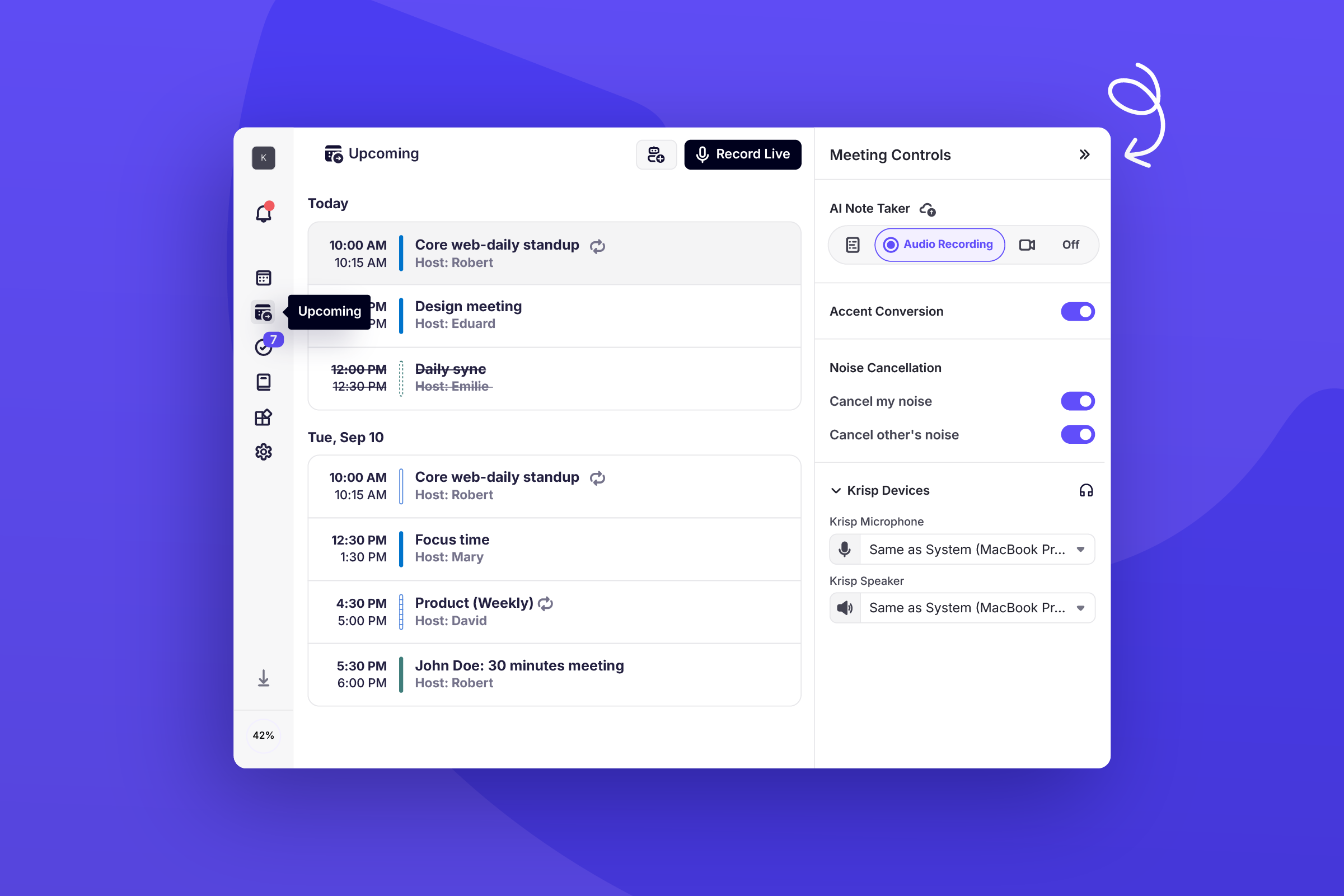
With Krisp Desktop 2.0, that’s over. The dashboard you knew is now a full-featured control center. Join calls, manage recordings, mute background noise, review your agenda, and start in-person sessions
What You Can Do Today That You Couldn’t Before
- Control your meetings in one place: Start recordings, mute noise, send the AI note-taker bot, and join meetings without leaving Krisp.
- Join calls instantly: The Active Call Banner keeps you one click away from recording, managing, or rejoining meetings.
- Stay organized: Switch to collapsed mode for a minimal view when you want fewer distractions.
- Access your agenda effortlessly: Your upcoming calls are right inside Krisp. Join directly or start an in-person session instantly.
- Resize your workspace: Make Krisp as big or compact as you want. The dashboard adapts seamlessly.
How It Changes Your Workflow
Let’s say you have three calls back-to-back:
Before Desktop 2.0:
- Check your calendar for the meeting link
- Open Zoom or Teams
- Switch to Krisp to enable noise cancellation
- Open notes in another app
With Desktop 2.0:
- Open Krisp Desktop
- Join the meeting from your Upcoming (previously agenda) page
- Jump in from a notification Krisp sends when your meeting starts
- Noise cancellation starts automatically
- Manage recordings, notes, and controls right from the same screen
One app. One flow. More focus.