The era of silent movies is long gone; in the modern world, sound is important, it breathes life into visuals, influences emotions, and forms the foundation of effective communication.Musicians, podcasters, bloggers, and content creators will ensure you the importance of sound, and audio in more convincing ways. High-quality audio depends on the recording software. We’ll explore the best audio recording software so you can find the one that perfectly meets your needs.
Key Factors to Consider When Choosing Audio Recording Software
Nowadays, it’s not easy to choose the best audio recording software, as there are many good ones. When choosing audio recording software, it’s essential to consider several important factors, which are listed below. These factors will guide your decision, but remember—what’s best for you is ultimately a subjective choice based on your unique needs and preferences.
Purpose
The first factor will be the purpose: Are you recording music or podcasts, maybe voiceovers? For each purpose, there’s different audio recording software, as each activity has its requirements. For example, podcasters typically prefer easy-to-use software and don’t need the multi-track capabilities that music producers require. If you’re a content creator, you might only need something like Podcastle, which is intuitive and beginner-friendly.
Compatibility
This will be the next important factor: Before choosing you have to ensure that your chosen software is compatible with your operating system. Some software programs are designed for Windows or macOS, of course, there are cross-platform software as well. The next important step is checking if the software supports the hardware and plugins you want to use, for example, audio interfaces or VST(Virtual Studio Technology) plugins.
Features and Functionality
This is where thorough research comes into play. Evaluate every feature the software offers, review the pros and cons, and determine what aligns with your needs. Key features to consider include multi-track recording, editing tools, effects, and plugin support. If you require something specific, make sure the software includes it before making your choice.
Audio Quality
Our goal is to produce the best audio possible, so audio quality is a critical factor. Your software should support high-resolution audio formats and offer professional sound processing, depending on your intended use.
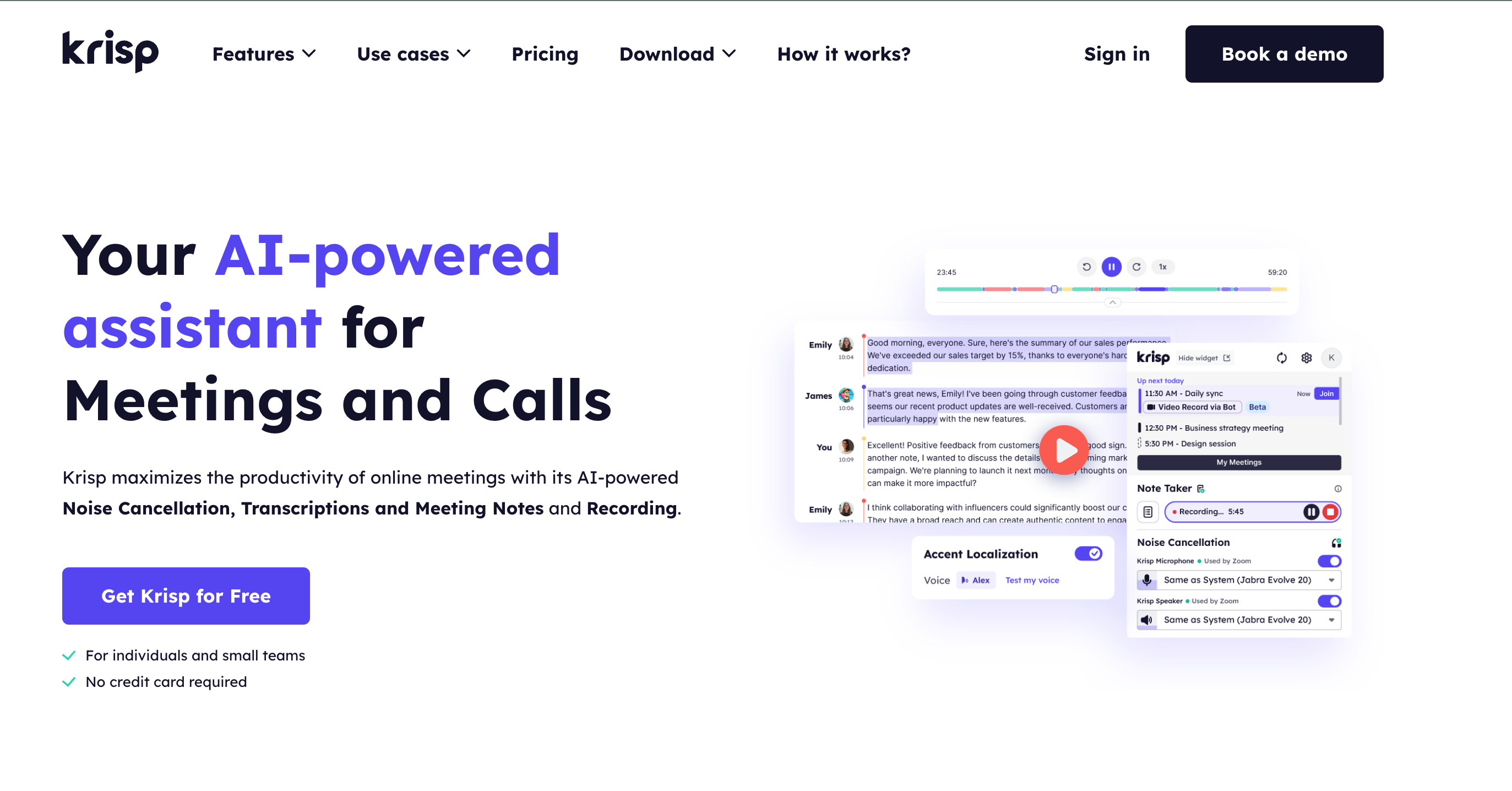
When listing the key features of audio recording software, there’s another essential feature that deserves mention: noise cancellation. If you frequently record in noisy environments, you’re well aware of how unwanted background noise can ruin an otherwise perfect recording. This is where Krisp comes in. Krisp is a noise cancellation tool that seamlessly integrates with any recording app to eliminate background noise.
By recording with Krisp from the start, you can save time and effort by reducing the need for post-editing to remove noise and echoes.
Audacity – Best Free Audio recording software
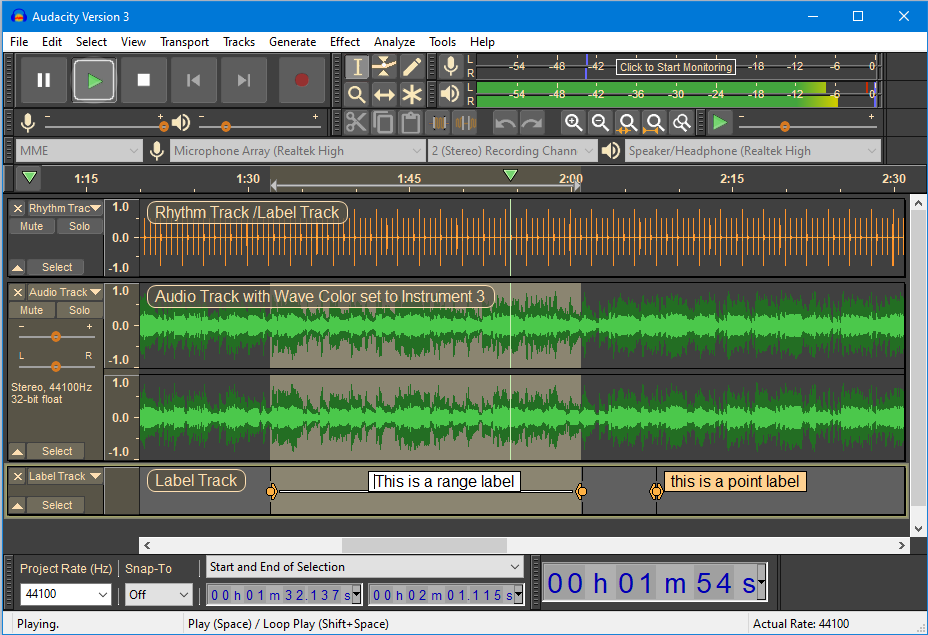
Audacity never loses its popularity. It is a free and open-source digital audio editor and recording application software, available for Windows, macOS, Linux, and other Unix-like operating systems. It works great with Krisp, which allows you to have noise-free audio, even while recording. Audacity is every podcaster’s best friend, and we know why. It is really easy to use, has many features to manipulate audio and the most important thing is it’s free. Also, with Audacity, you can record live audio, digitize recordings, and edit various sound files. Now, let’s dig into its pros and cons.
Audacity
Key features
Live audio recording capabilities
Multi-track editing and mixing
Support for various audio effects and plugins
Tools for precise spectral analysis
Digitization tools for converting tapes and records
Pros
It’s Free and Open-Source
Cross-platform compatibility (available on Windows, macOS, and Linux)
Wide range of editing tools
Lightweight (has a low system resource requirement)
Community support (you can find many tutorials, forums, and troubleshooting materials)
Cons
Outdated UI
Lack of guidance
No Real-time effects
Limited multi-track capabilities
No native MIDI support
Podcastle – Best intuitive and beginner-friendly audio recording software
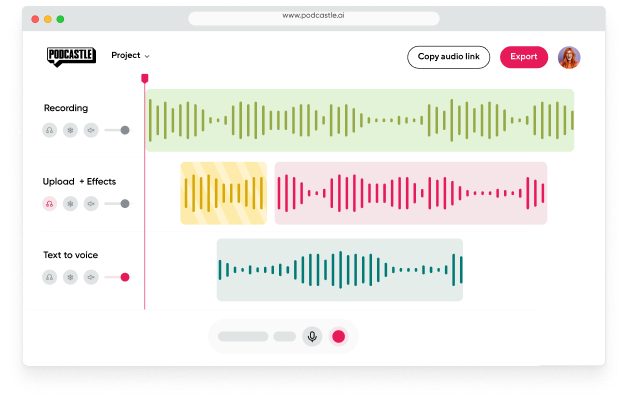
If you are looking for an all-in-one platform you should come down in favor of Podcastle. It’s one of the best audio recording software options available, and here’s why: you can record, edit, export, and even host your show without ever leaving the software, all while achieving the studio-quality sound everyone strives for.
Podcastle features a cutting-edge UI and user-friendly design that’s perfect for beginners. It enables podcasters, creators, interviewers, and more to work on their audio with professional studio quality. Additionally, it’s entirely web-based, so you can access it from anywhere with an Internet connection, without needing to download large files to your computer. One of its most valuable features is the text mode editing functionality, which lets you edit your audio simply by editing your script.
Podcastle
Key features
All-in-one podcast creation platform
AI-powered noise reduction
Seamless remote recording
Automated transcription and text-to-speech
Great UI with drag-and-drop editing
Pros
It offers a free plan
Beginner-friendly and intuitive UI
AI-powered features for a more efficient workflow
AI audio enhancement tool
Crystal clear sound and HD recording
Hosting Hub to host your podcasts
Collaborative features to work in teams
Cons
Dependent on Internet connection
Not available on Android
Adobe Audition – Best for Professional Audio Editing
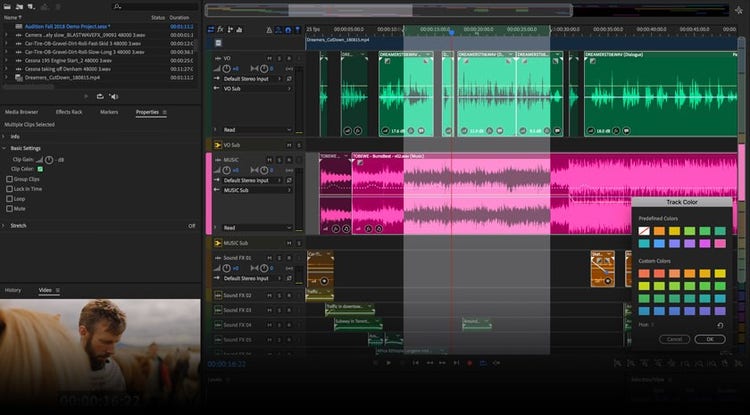
Adobe is renowned for delivering top-notch software, and Adobe Audition is no exception. With its powerful editing tools and flawless performance, it’s the go-to audio recording software for professionals who need advanced audio editing, sound design, and mixing capabilities. Adobe Audition offers powerful tools, flexibility, and studio-quality audio, but this level of quality comes at a price.
Adobe Audition
Key features
High-quality multitrack editing
Sophisticated noise reduction tools
Automatic Speech Alignment for syncing voiceovers or ADR
Batch processing to apply effects to multiple files at once
Loudness metering tools to ensure broadcast standards compliance
Robust audio restoration capabilities
Wide range of sound effects and presets
Pros
Professional-level tools
Integration with other Adobe products
Supports high-resolution audio formats
Real-time effects
Cons
Expensive subscription
Requires a powerful computer
No MIDI support
Not ideal for simple projects, a bit overwhelming
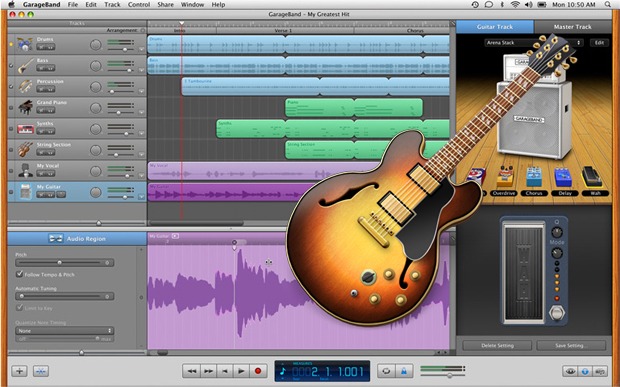
GarageBand – Best recording software for Mac
Are you searching for the best recording software for Mac? If so, you’re in the right place. This software is perfect for beginners who want to learn more with a user-friendly interface. It offers all the essential features that a beginner podcaster, musician, or content creator needs, including multitrack recording, built-in virtual instruments and loops, and intuitive functionality.
GarageBand
Key features
Integration with iCloud
Touch instruments for intuitive music creation
Built-in guitar and voice effects
Support for external audio interfaces and MIDI controllers
Share projects directly to music streaming platforms
Pros
Free for macOS Users
User-Friendly Interface
A wide variety of virtual instruments and loops
Multi-Track Recording
High-Quality Audio Output
Cons
macOS Exclusive
Limited Advanced Features
No MIDI Out Support
Basic Mixing Capabilities
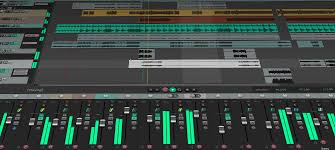
Reaper – Best powerful audio recording software
Ask anyone in the industry—everyone knows Reaper. It’s a powerful and affordable digital audio workstation that offers incredible value for money. This software is also highly customizable, supporting a wide range of hardware and software plugins. With features like multitrack recording, extensive plugin support, and strong community backing, Reaper stands out as a top choice. If you’re looking for professional-grade quality without breaking the bank, this software is perfect for you.
Reaper
Key features
Customizable interface and workflow
High-resolution audio support
Extensive MIDI hardware and software support
Flexible routing and processing capabilities
Scripting and macro capabilities for advanced control
Pros
It’s affordable
Supports many plugins
Lightweight
Provides multi-track recording
Regular updates from the developer
Cons
Complex UI
No built-in virtual instruments
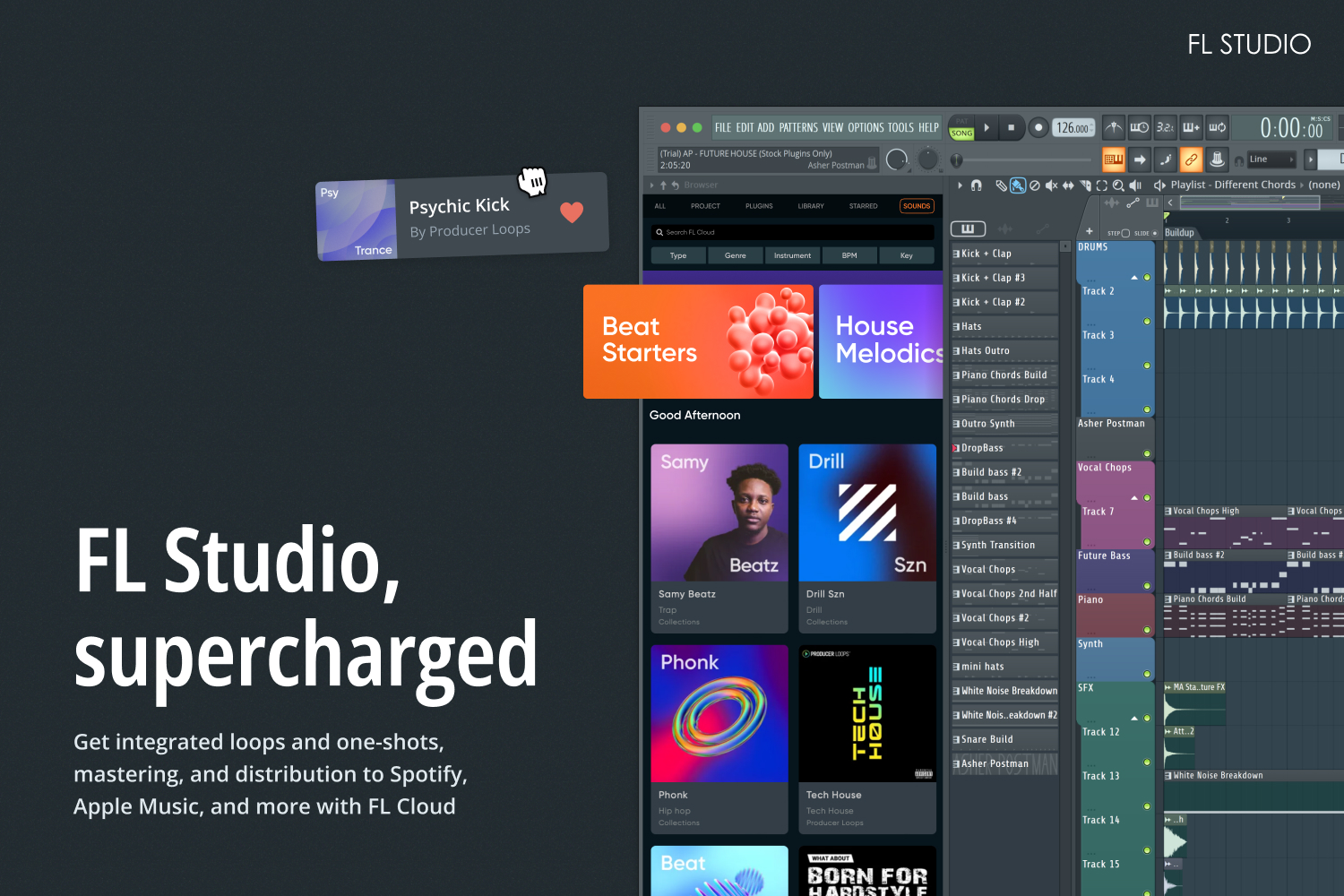
FL Studio – Best for beat-making and electronic music
Attention all electronic music enthusiasts: this audio recording software is tailor-made for you. Renowned for its user-friendly interface and ease of use, it’s the perfect companion for beginner music producers. Beat-making is a standout feature of this tool, but its capabilities extend beyond electronic music. With a diverse array of plugins and effects, it proves to be versatile across various music genres.
FL Studio
Key features
Comprehensive MIDI composition and editing via piano roll
Advanced audio stretching and pitch shifting capabilities
Extensive automation support for complex productions
Integrated multi-track mixer with per-track VST support
Mobile version available for on-the-go music creation
Pros
User-friendly interface
Powerful beat-making tools
A wide range of plugins and effects
Lifetime free updates
Cons
Focused on Windows
Limited audio recording features
Pricey
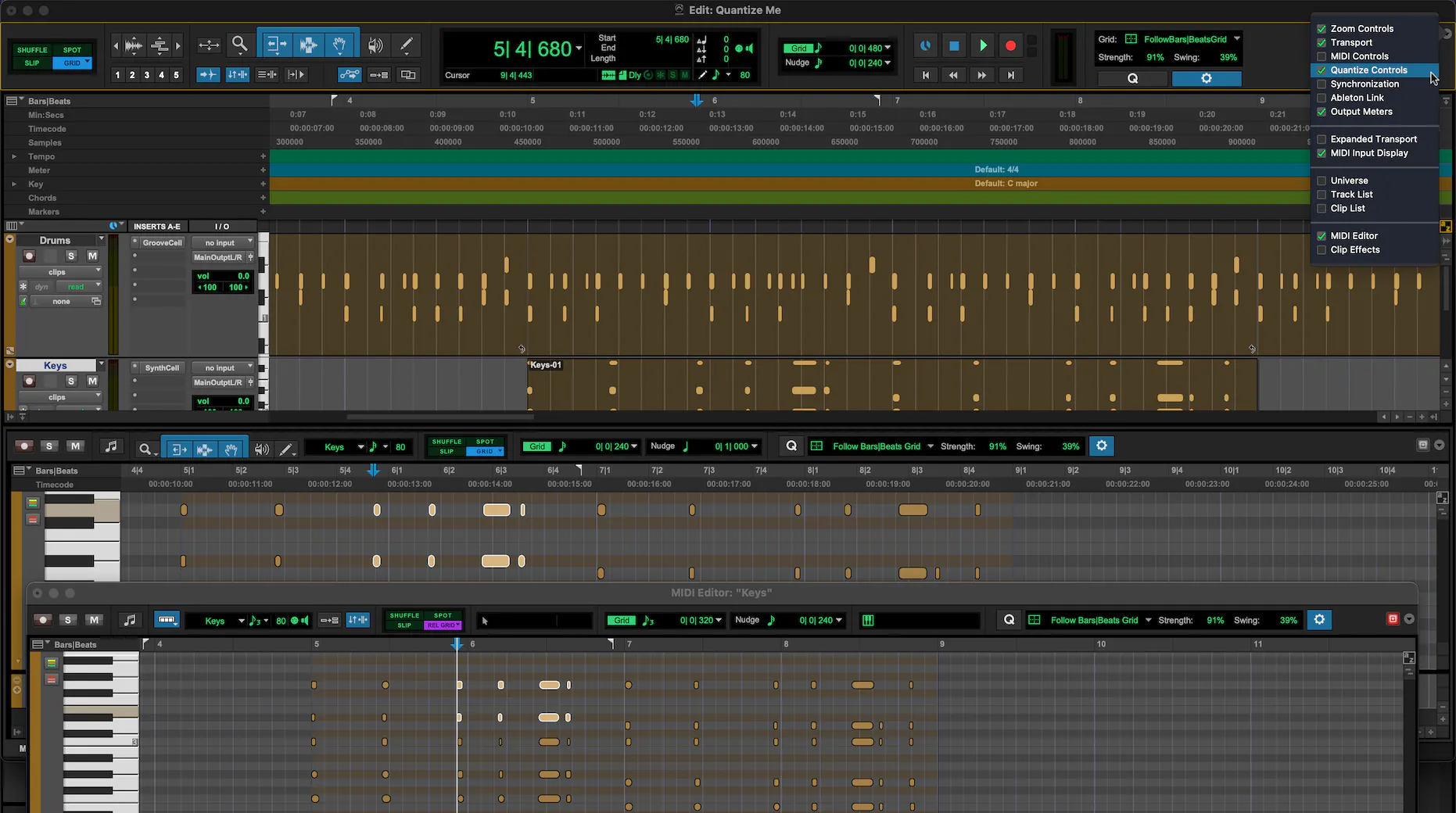
Pro Tools – Best industry standard for recording studios
Pro Tools is considered to be a gold standard for recording studios. It is released by Avid Technology and is used mostly for music creation and production. This powerful software handles the mastering process perfectly and ensures the best quality. Pro Tools is ideal for high-end audio projects.
Pro Tools
Key features
Seamless integration with hardware interfaces
Highly efficient audio engine
Support for extensive track counts
Non-destructive editing capabilities
Comprehensive MIDI sequencing and scoring tools
Pros
Industry-standard
Advanced editing tools
Provides perfect sound quality
Good plugin support
Collaboration tools
Cons
Pricey
Not-easy for beginners
Resource-intensive
Less advanced MIDI support
Krisp – Best for meeting recordings
Clear audio is essential not only for podcasts, music, or video blogs but also for meetings. Nowadays, millions of people have remote jobs, which involve daily virtual meetings. People work from various locations, such as noisy cafes, coworking spaces, or home environments with children, making noise-cancellation tools a necessity. The exit from this chaotic routine offers Krisp, which is known for its noise-cancellation capabilities. Krisp integrates with many audio recording software as well as with almost every application, making it a perfect choice for beginners and professionals.
Real-time noise-cancellation feature is the most impressive one. This means that you can achieve noise-free audio from the moment you start recording, reducing the need for extensive post-production edits. This feature is especially beneficial for maintaining focus and clarity during discussions.
To the question “What is the best software for audio recording?” you can find many answers with different audio recording software names in them. That’s correct, as there are many excellent audio recording software options available, but finding the right one depends on your specific needs and experience level. Each software has its own strengths and weaknesses, so if you’re clear on what you require, choosing the best fit will be a quick and straightforward process.
Many audio recording software lack built-in noise cancellation, which can lead to audio being spoiled by background noise and echoes. To ensure crystal-clear sound, it’s a good idea to download Krisp, the best noise-cancellation tool.
FAQ
The best audio recording software depends on your needs and experience level. For professional-grade features, Adobe Audition and Pro Tools are top choices, offering advanced editing tools and high-quality audio processing. For a more budget-friendly option with strong customization, Reaper is an excellent pick.
Audacity is widely regarded as the best free audio recording software. It’s open-source, easy to use, and offers a wide range of features for basic recording and editing. Similarly, another great free option is Podcastle.
For Windows 10, Adobe Audition and FL Studio are among the top choices, both offering extensive features for professional and creative audio work. To sum up, Reaper is also highly recommended for its affordability and flexibility.
GarageBand is a fantastic free option for Mac users, offering a robust set of features for beginners. For more advanced needs, Logic Pro X provides a comprehensive suite of professional tools, while Pro Tools is the industry standard for high-end audio production.