In today’s fast-paced digital age, staying organized and productive is crucial, and having a reliable note taking app is essential for keeping on top of your tasks and projects. As a Mac user, you can access many options, but finding the best one for your needs can be daunting.
The good news is that numerous note taking apps are available for Mac in 2024 that offer a variety of features to suit different preferences and work styles.
In this article, we’ll explore the best note taking apps for Mac in 2024 that will enhance your productivity and streamline your workflow, allowing you to stay organized and focused on your goals.
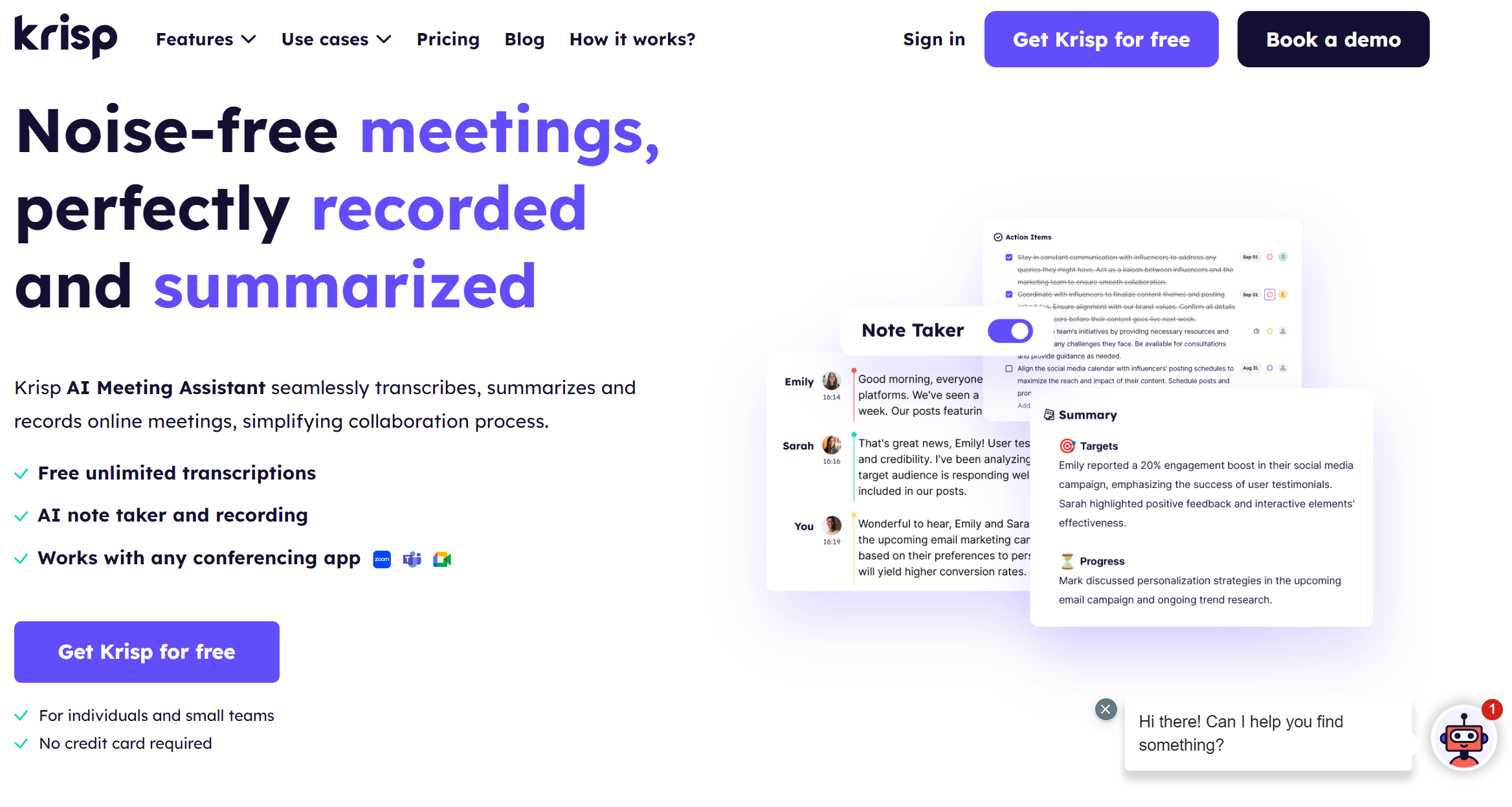
1. Krisp – Best for real-time meeting notes and summaries
This real-time functionality lets users focus on the discussion without manual note taking. With Krisp, meeting recordings are instantly transformed into concise and accurate summaries, helping teams stay productive and aligned in real time.
It’s a must-have tool for those seeking efficient and seamless virtual meeting experiences, and it’s recognized as one of the best note-taking apps for Mac.
2. Apple Notes – Best for quick, simple note taking across Apple devices
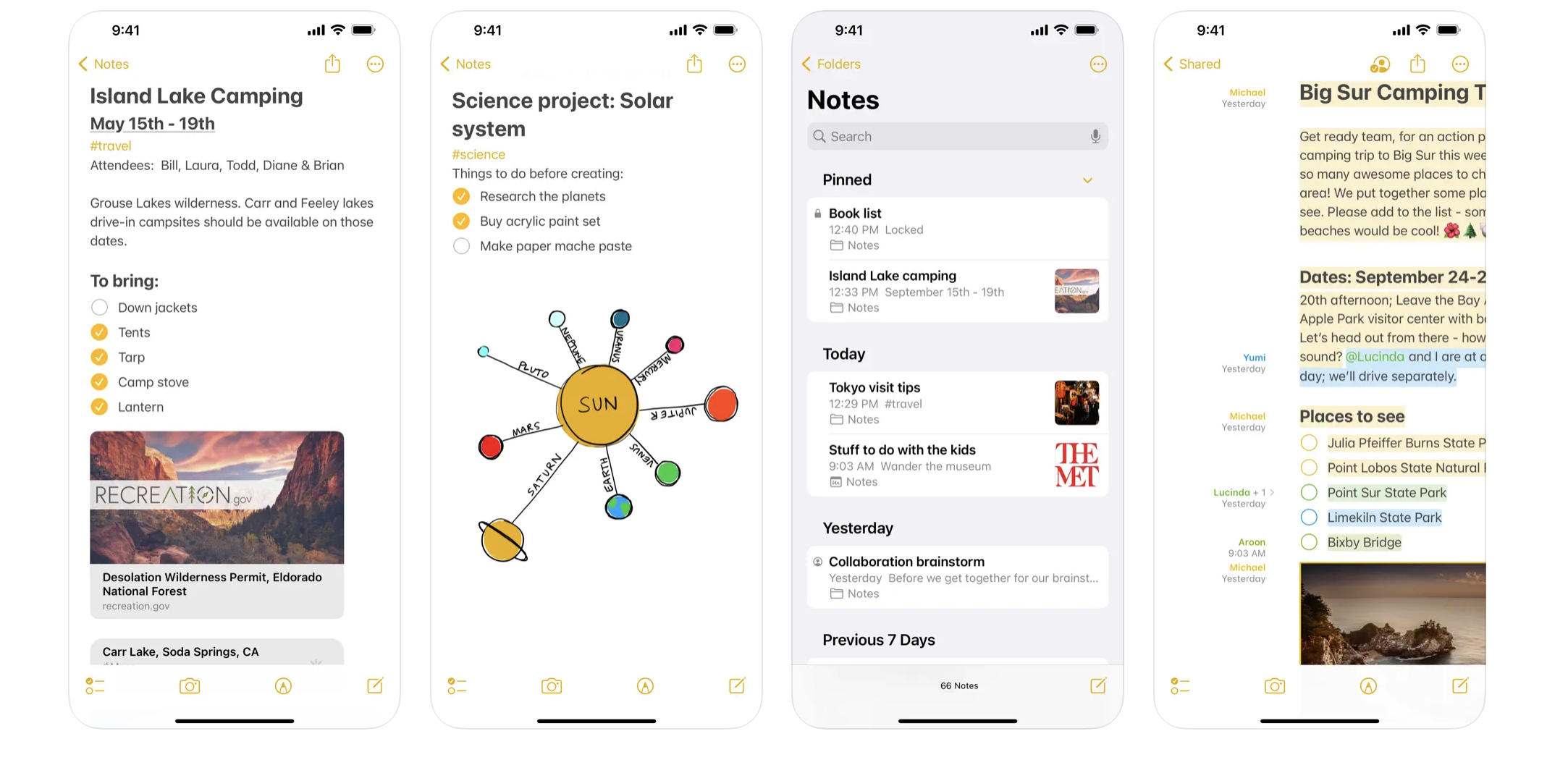
Apple Notes is a pre-installed application on all Mac devices, offering a convenient and versatile note taking solution. With its user-friendly interface and rich features such as text formatting, checklists, attachments, and real-time collaboration, Apple Notes is a solid choice for users seeking ease of use and reliability. It seamlessly integrates with other Apple products, ensuring that your notes sync effortlessly across devices, allowing you to access them anywhere.
In addition to its core note taking capabilities, Apple Notes offers various features to enhance your productivity. You can pin important notes for easy access, create checklists to stay organized, scan and sign documents directly within the app, and add attachments like photos, videos, or web links.
Furthermore, the Handwriting Tools feature allows you to draw or write with your finger, choose from various Markup tools and colors, and even draw straight lines with the ruler.
Collaboration is made easy with Apple Notes, as you can invite others to collaborate on your notes by simply tapping the Share button and choosing a sharing option. This allows the people you share with to view or change a note, fostering seamless teamwork and communication.
Overall, Apple Notes is a feature-rich and reliable note taking app that caters to many users, from casual note-takers to those needing advanced productivity tools. Its seamless integration with other Apple products and intuitive interface make it a valuable addition to your digital toolkit.
2. Apple Notes
Key features
Seamless Sync Across Apple Devices
Rich Text Formatting and Media Support
Handwriting and Drawing Tools
Real-Time Collaboration
Pros
User-Friendly Interface
Free and Pre-Installed
Cons
Limited Cross-Platform Support
Basic Organization Tools
Lack of Advanced Formatting Options
3. OneNote – Best for structured, multi-purpose note taking and organization
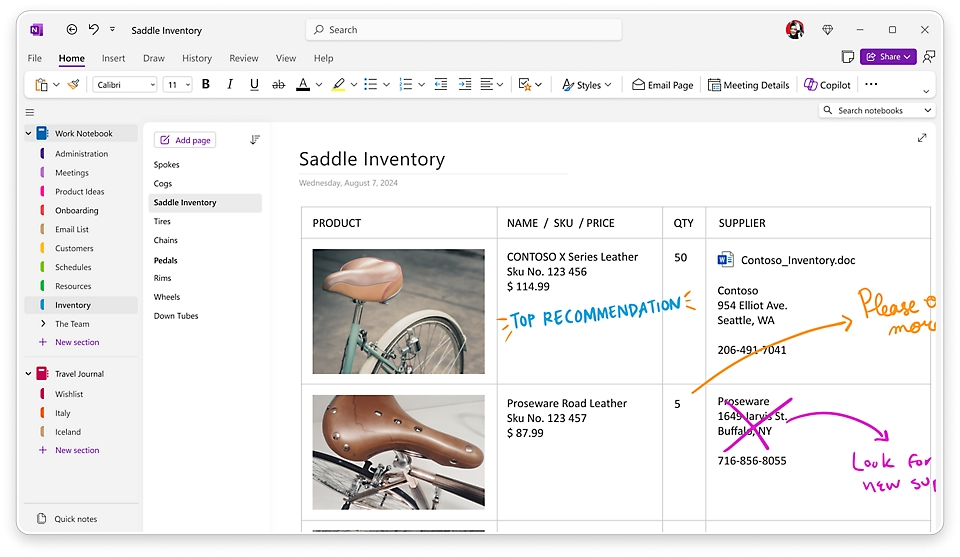
Microsoft’s OneNote for Mac offers a hierarchical structure, allowing users to create notebooks, sections, and pages for efficient project management. It supports multimedia content, such as images, audio recordings, and attachments, catering to various user preferences. Additionally, the ability to sync notes across devices ensures accessibility on the go.
To use OneNote for Mac, access to OneDrive using a Microsoft account is required. It can be downloaded for free from the Mac App Store or Microsoft’s website, with many core features available at no cost. Users can sync notes across devices using a free Microsoft account with OneDrive. Subscribers to Office 365 may access additional premium features while the basic version remains fully functional and free to use.
4. Notion – Best for all-in-one workspace and project management
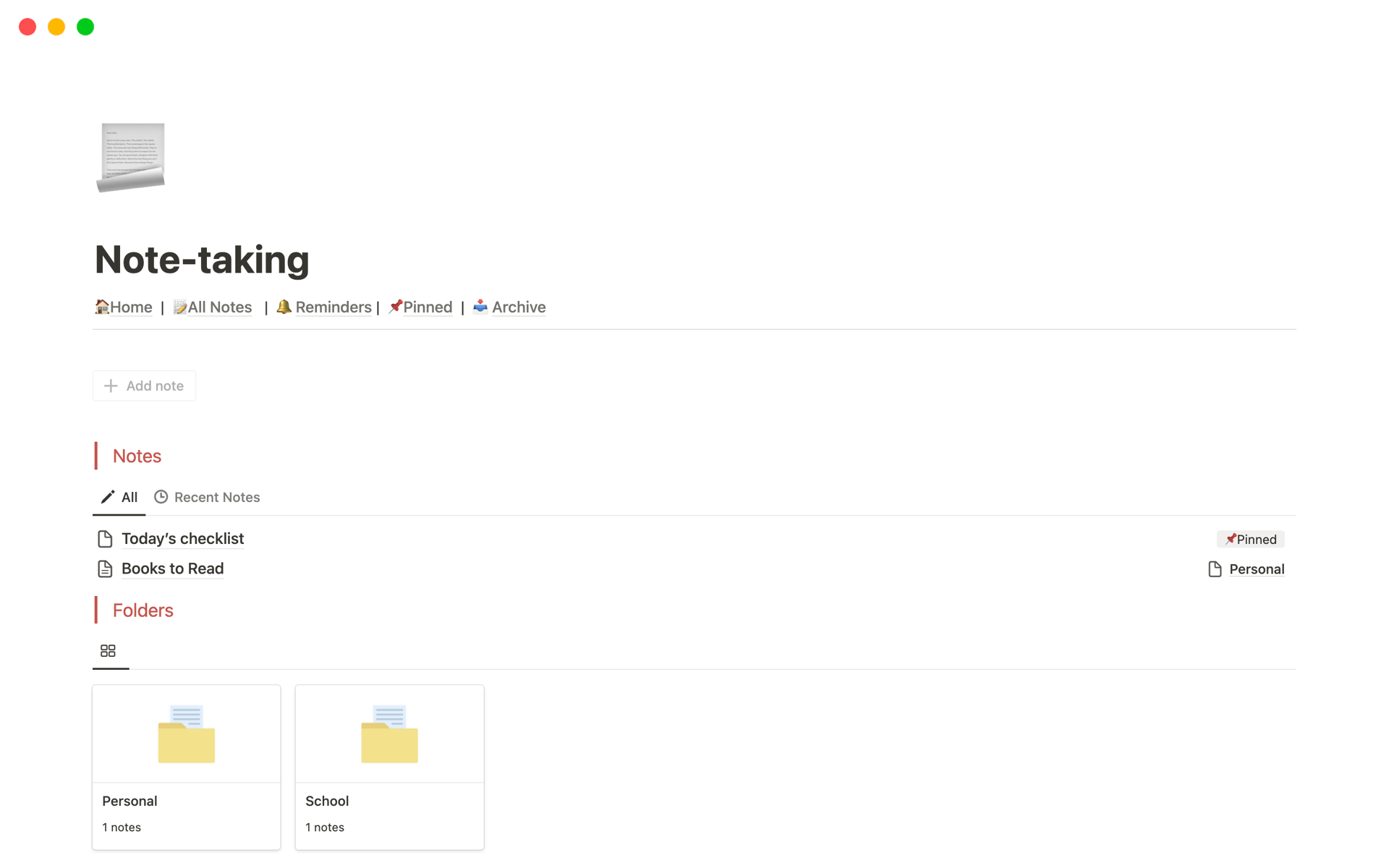
Notion is more than just a note taking app—it’s a versatile workspace that combines notes, tasks, databases, and project management in a highly customizable way. Unlike traditional note taking apps, Notion lets you create organized pages with text, checklists, images, tables, and embedded content like videos or links.
Its standout feature is the use of blocks, where each piece of content is treated as a movable, formattable block, perfect for those who need flexibility in organizing their thoughts, projects, and tasks. Notion also supports collaborative work, allowing teams to share pages, assign tasks, and work together in real-time.
With features like databases, project boards, and templates, Notion seamlessly manages various work and personal aspects. Its strength lies in its customizability and collaboration tools, making it a great choice for teams and individuals needing a flexible, powerful organizational platform. Whether you’re a student, entrepreneur, or business professional, Notion is a comprehensive tool that adapts to your workflow.
4. Notion
Key features
All-in-One Workspace (Notes, Tasks, Databases)
Block-Based Content Organization
Customizable Pages with Multimedia Support
Real-Time Collaboration and Task Assignment
Pros
Highly Customizable and Flexible Layout
Combines Note Taking with Project Management
Cons
Steeper Learning Curve for New Users
Limited Offline Access Without Paid Plan
Can Feel Overwhelming for Simple Note Taking Needs
5. Obsidian – Best for knowledge management and linking note
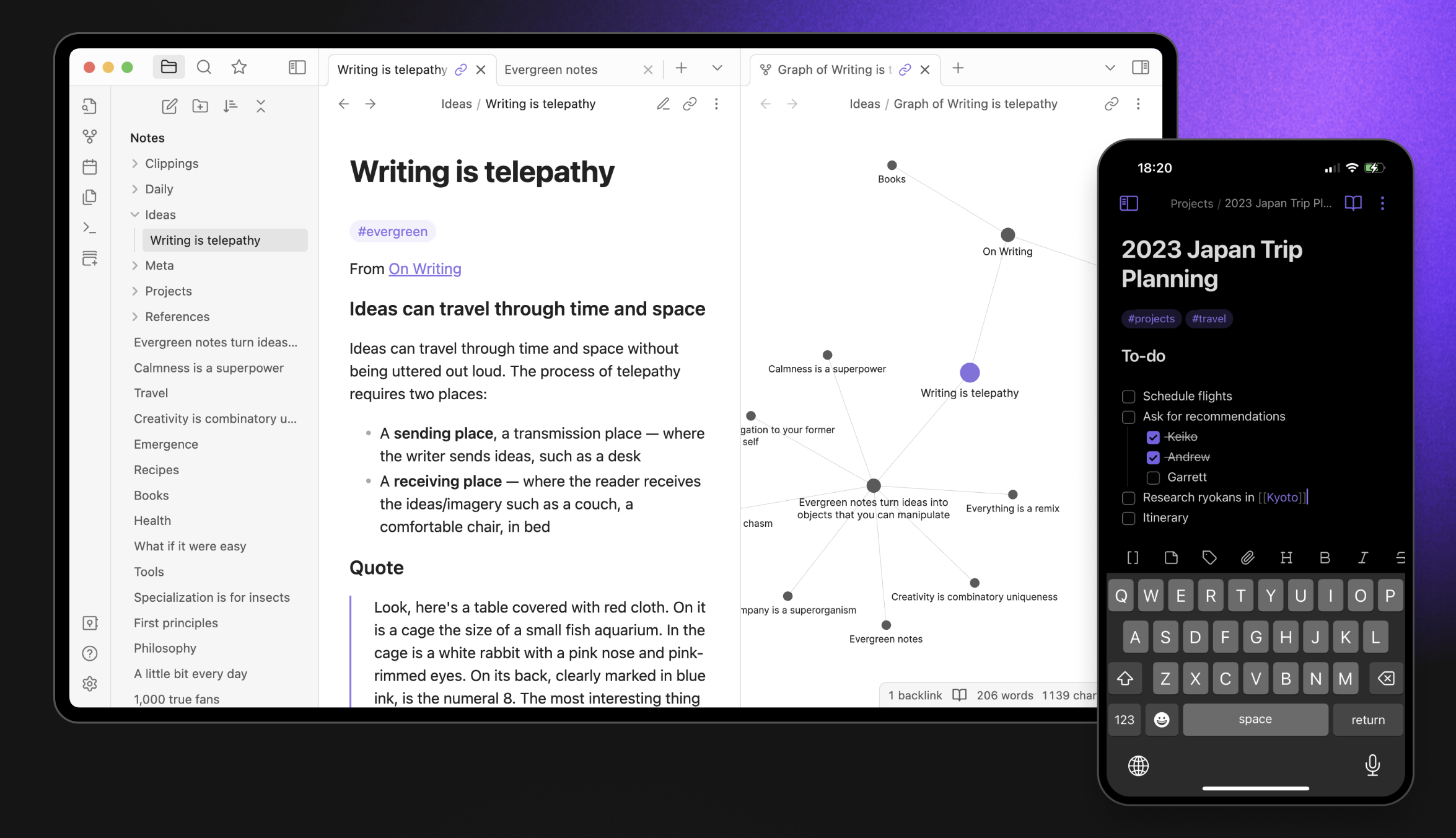
Obsidian is an advanced note taking app that focuses on knowledge management. It uses interlinked notes, creating a “second brain” system that allows you to build a web of interconnected ideas. With features like backlinks, bi-directional linking, and a graph view, Obsidian offers a unique way to visualize relationships between your notes, making it an excellent tool for researchers and anyone looking to map out complex information.
Obsidian is free for personal and non-profit use. However, if you use Obsidian for work-related activities that generate revenue in an organization with two or more employees, you must purchase a commercial license for each user.
5. Obsidian
Key features
Interlinked Notes with Backlinks and Bi-Directional Linking
Graph View for Visualizing Note Relationships
Free for Personal and Non-Profit Use
Markdown-Based Note System
Pros
Powerful Knowledge Management and Idea Mapping
Customizable with Plugins and Themes
Cons
Requires a Commercial License for Work Use
Steep Learning Curve for Beginners
No Built-In Cloud Sync (Requires Third-Party Solutions)
Might be Overwhelming for Simple Note Taking
Integrate Krisp for Smarter Note Taking
Meetings can easily overwhelm traditional note taking apps, making it hard to keep up with real-time information. Krisp AI Meeting Assistant helps with this by offering a specialized note taking tool for Mac users.
Using the AI meeting note taker included in AI Meeting Assistant, Krisp turns important discussion points into easy-to-read summaries. This means staying focused during meetings without worrying about missing key details.
Krisp’s AI Meeting Notes uses smart technology to identify key ideas, tasks, and decisions. For example, in a project meeting, it can automatically highlight essential milestones and deadlines, giving you a clear overview of what needs to be done.
The real-time transcription feature turns spoken words into a searchable document, so you don’t have to take notes yourself. This makes it easy to find and review specific parts of the conversation later. In a strategy meeting, Krisp helps you quickly find key ideas, so nothing is missed.
Whether in a team meeting, brainstorming session, or presenting to a client, Krisp ensures you capture every critical point. With its simple interface and smooth integration with meeting platforms, Krisp is a helpful tool for improving productivity in any meeting and is undoubtedly the best note-taking app for Mac.
Since every team’s workflow is different, it can also help to explore how other AI note takers compare in terms of accuracy, organization, and usability — this comparison guide of the leading AI note takers breaks down the strengths of various tools so you can choose the one that best supports your meeting needs
Conclusion
In 2024, staying productive is all about having the right tools. The best note taking apps for Mac – Krisp, Apple Notes, OneNote, Notion, and Obsidian– each offer unique features that cater to different note taking styles and needs.
However, for those who regularly engage in meetings and need actionable insights, Krisp stands out as the ultimate note taking solution. With its AI-driven Meeting Notes, real-time transcription, and summary generation, Krisp ensures that you capture and organize important information efficiently and effectively.
FAQs
OneNote and Notion are great for students due to their powerful organizational features and ability to handle multimedia and collaboration tools.
In terms of compatibility with other devices, all five apps mentioned are designed to be compatible with multiple platforms, such as iOS and Windows. This means you can easily sync your notes across different devices, making it convenient to access them wherever you are. This cross-platform compatibility can be a significant advantage for users who use different devices in their daily routines and want their notes to be easily accessible.
Krisp is the best for capturing and summarizing meeting notes in real-time. It offers AI-powered meeting transcription and summaries, making it perfect for hybrid meetings where you need an accurate record of discussions.